
Prompt Library
A curated collection of battle-tested Base44 prompts. Copy, paste, and build faster.
Help support the work I do

Find Dead Code, Broken Functions & Half-Built Features
Clean up your codebase by auditing unused components, broken references, and incomplete features with this comprehensive AI diagnostic prompt.
Perform a full Dead Code, Broken Functionality & Incomplete Feature Audit of this application.

Do not modify any code yet.

Your job is to inspect the existing application and produce a detailed report identifying code, features, components, functions, and UI elements that appear unused, broken, incomplete, duplicated, abandoned, or incorrectly connected.

1. Dead Code

Identify:

Unused components
Unused functions
Unused hooks
Unused variables
Unused imports
Unused API calls
Unused database queries
Unused routes
Unused pages
Unused styles
Unused utilities
Files that are no longer referenced anywhere
Legacy code left behind after previous changes

Do not assume something is dead simply because you cannot immediately find a reference.

Trace dependencies before marking anything for removal.

2. Broken References

Find references to:

Missing components
Missing functions
Missing files
Missing routes
Missing database entities
Renamed fields
Deleted properties
Invalid imports
Invalid exports
Undefined variables
Outdated API endpoints
Functions calling resources that no longer exist

Explain exactly where each broken reference occurs and what it appears to expect.

3. Half-Built Features

Look for features where the UI exists but the functionality underneath appears incomplete.

Examples:

Buttons with no meaningful action
Forms that do not save data
Settings that are displayed but not persisted
Search/filter controls that do not affect results
Empty event handlers
Placeholder functions
Hard-coded temporary data
Mock data still being used
Features that only partially update the database
UI elements referencing functionality that was never implemented
4. TODO / FIXME / Temporary Code

Search the entire codebase for:

TODO
FIXME
TEMP
HACK
placeholder
coming soon
mock
test data
temporary workarounds

Determine whether each one represents unfinished production work.

5. Duplicate or Conflicting Logic

Identify places where multiple pieces of code appear to perform the same responsibility.

Examples:

Duplicate utility functions
Multiple versions of the same component
Repeated API wrappers
Different validation rules for the same data
Duplicate database operations
Old and new implementations running simultaneously

Explain which version appears to be actively used.

Do not recommend deleting anything until dependencies are confirmed.

6. User Flow Audit

Trace the application's major user flows from beginning to end.

For each major flow, verify:

UI → Event → Business Logic → API/Backend → Database → Response → UI Update

Identify anywhere that chain appears incomplete or broken.

7. Error Handling

Identify important operations that:

Have no error handling
Fail silently
Swallow exceptions
Display no feedback to the user
Leave loading states active
Allow duplicate submissions
Do not handle failed network requests
8. Produce a Report

Do not make changes.

Return a report using this format:

Executive Summary

Overall condition of the application.

Critical Issues

Problems likely to break functionality or cause incorrect application behavior.

Broken Features

Features that appear partially or completely nonfunctional.

Half-Built Features

Features that appear unfinished.

Broken References

Missing files, functions, fields, routes, APIs, or dependencies.

Dead Code Candidates

Code that appears unused.

For every item include:

File/path
Component/function
Why it appears unused
What references were checked
Risk of removal: Low / Medium / High
Duplicate Logic

Potential duplicate or conflicting implementations.

TODO / Temporary Code

Remaining development artifacts.

Missing Error Handling

Operations that could fail without proper handling.

Recommended Cleanup Order

Provide a numbered remediation sequence based on:

Production-breaking problems
Data integrity risks
Broken user flows
Incomplete features
Duplicate logic
Dead code cleanup
IMPORTANT RULES
Do not delete anything.
Do not refactor anything.
Do not change application behavior.
Do not assume unused means safe to remove.
Trace dependencies before classifying code as dead.
Clearly separate confirmed problems from suspected problems.
If you cannot verify something, mark it as Needs Manual Verification.

The goal of this audit is to determine:

What is broken, what was never finished, what is no longer being used, and what needs attention before we keep adding more code.

Base44 Legacy API Key Audit (October 15, 2026 Deadline)
Base44 is retiring legacy api_key authentication on October 15, 2026. Run this read-only audit prompt to find every place your app still uses the old header before it breaks.
Perform a complete, read-only authentication audit of this Base44 application.

## Objective

Identify every location that still uses Base44's legacy API-key authentication system:

```http
api_key: YOUR_API_KEY
```

These calls must migrate to:

```http
Authorization: Bearer YOUR_PERSONAL_ACCESS_TOKEN
```

Do not modify any code, secrets, functions, workflows, or configuration. Generate a report only.

## Scope

Scan the entire accessible application, including:

* Frontend source files
* Backend functions
* Shared API clients and request utilities
* Automations and scheduled jobs
* Workflows and event handlers
* Webhook handlers
* Server, API, worker, and edge-function directories
* Scripts and migration utilities
* Environment-variable references
* Secret names and configuration files
* Axios instances and interceptors
* `fetch()` requests
* SDK client initialization
* cURL commands stored in scripts
* Documentation containing executable examples
* Any available logs showing API-key activity

Do not limit the audit to files currently imported by the frontend. Include backend-only and scheduled code.

Exclude generated directories such as `node_modules`, `dist`, and build output unless the application actively references a generated file at runtime.

## Search Patterns

Search case-insensitively for:

* `api_key`
* `api-key`
* `x-api-key`
* `BASE44_API_KEY`
* `B44_API_KEY`
* `APP_API_KEY`
* `ACCOUNT_API_KEY`
* `appApiKey`
* `accountApiKey`
* `apiKey`
* `headers.api_key`
* `headers["api_key"]`
* `headers['api_key']`
* Axios default headers containing API keys
* API client constructors receiving an API key
* Environment or secret values passed into request headers
* Requests made to `app.base44.com`
* Requests made to Base44 API endpoints
* Shared request helpers that could add the old header indirectly

Trace variables back to their source. For example, if a request uses `headers: authHeaders`, inspect where `authHeaders` is created.

## Accuracy Requirements

Only classify something as confirmed legacy Base44 authentication when the old header or credential is connected to a Base44 request.

Do not confuse Base44 authentication with API keys for:

* OpenAI
* Stripe
* Resend
* Cloudflare
* Google
* Twilio
* Airtable
* Other external services

Place ambiguous results in a separate "Manual Review Required" section.

Do not classify normal Base44 user authentication, session tokens, `base44.auth`, or third-party bearer tokens as legacy authentication unless they ultimately depend on an old Base44 account or app API key.

## Security Requirements

* Never print or expose a complete API key, token, or secret.
* Replace discovered credential values with `[REDACTED]`.
* Report secret and environment-variable names only.
* Do not move secrets into frontend code.
* Do not create a personal access token.
* Do not delete, rotate, disable, or replace any existing credential.
* Do not make code changes.

## Required Report

### 1. Executive Summary

Provide:

* Overall status: `Legacy`, `Mixed`, `Migrated`, `No Legacy Usage Found`, or `Inconclusive`
* Number of confirmed legacy authentication locations
* Number of unique shared authentication helpers
* Number of affected functions, workflows, or integrations
* Number of locations already using bearer-token authentication
* Number of ambiguous locations requiring manual review
* Overall risk: Critical, High, Medium, or Low
* Expected impact if nothing is changed before October 15, 2026

### 2. Confirmed Legacy Authentication

Create a table with:

| Severity | File and Line | Function/Component | Base44 Endpoint | Old Authentication Evidence | Secret Reference | Trigger | Feature Affected | Confidence |
| -------- | ------------- | ------------------ | --------------- | --------------------------- | ---------------- | ------- | ---------------- | ---------- |

For every result:

* Provide the exact file path and line number.
* Identify the function, component, workflow, or script.
* Show only the relevant code snippet.
* Redact all credential values.
* Explain when the code runs.
* Explain what user-facing or business feature would stop working.
* Identify whether the authentication comes from a shared helper.
* Assign a confidence level of Confirmed, Likely, or Possible.

### 3. Dependency and Blast-Radius Analysis

Determine whether multiple features depend on:

* The same legacy secret
* The same request helper
* The same Axios instance
* The same backend function
* The same account-level API key

Explain which features could fail together if that shared credential is removed or expires.

### 4. Already Migrated Locations

List requests already using:

```http
Authorization: Bearer ...
```

Only include them when they authenticate requests to Base44.

For each location, report:

* File and line
* Function or integration
* Token secret name
* Token scope if visible
* Whether the token appears to be stored server-side
* Any security concerns

Do not reveal token values.

### 5. Manual Review Required

List anything that cannot be inspected directly, including:

* Make scenarios
* Zapier workflows
* n8n workflows
* Cloudflare Workers
* Vercel or Netlify functions
* External servers
* GitHub Actions
* Local scripts
* Mobile application backends
* MCP configurations
* Third-party cron services
* External environment variables
* Integrations configured outside this Base44 application

For each item, explain exactly what a human should check.

### 6. Migration Recommendations

For each confirmed legacy location, recommend:

* The file or external system that needs updating
* The header that must be replaced
* The minimum required token access
* Whether read-only or full access is required
* Whether the token should be restricted to one app
* Which workflows must be tested afterward

The expected change is:

```http
# Old
api_key: YOUR_API_KEY

# New
Authorization: Bearer YOUR_PERSONAL_ACCESS_TOKEN
```

Do not implement this change.

### 7. Prioritized Action Plan

Organize the findings into:

1. Critical production flows
2. Shared authentication utilities
3. Scheduled jobs and automations
4. External integrations
5. Internal or development scripts
6. Low-risk or unused code

Recommend migrating shared authentication utilities first when doing so safely updates multiple confirmed callers.

### 8. Testing Checklist

Create a checklist covering every affected flow, including:

* Read requests
* Create and update operations
* Deletes
* Backend function calls
* Webhook processing
* Scheduled jobs
* Data synchronization
* Admin operations
* External dashboards
* Error monitoring for `401` and `403` responses

## Final Verification

At the end of the report, state:

* Which directories and systems were inspected
* Which areas could not be inspected
* Whether any findings remain uncertain
* Whether any code or configuration was changed

Do not claim the application is fully migrated when external systems or inaccessible configuration could still be using the legacy key.

Base44 SEO Setup Prompt Using react-helmet-async
Elevate your Base44 app's SEO with a comprehensive setup using react-helmet-async.
Scan my entire Base44 app and improve the SEO setup using react-helmet-async.

Do not change my app's core functionality, routes, data logic, forms, auth logic, permissions, styling system, or business workflows.

Your job is to add or improve SEO metadata across the app.

First, scan the full app and identify:

- All public pages
- All private/authenticated pages
- Current routing structure
- Existing title tags
- Existing meta descriptions
- Existing social sharing metadata
- Existing Open Graph tags
- Existing Twitter/X card tags
- Existing canonical tags
- Any pages missing SEO metadata
- Any duplicated titles or descriptions
- Any pages that should be marked noindex
- Any dynamic pages that need dynamic SEO values

Then install and configure react-helmet-async if it is not already installed.

Set up the app correctly by:

- Importing HelmetProvider
- Wrapping the app with HelmetProvider at the correct root level
- Creating a reusable SEO component
- Making the SEO component easy to use on every page
- Keeping the implementation clean and maintainable

Create a reusable SEO component that supports:

- Page title
- Meta description
- Canonical URL
- Open Graph title
- Open Graph description
- Open Graph image
- Open Graph type
- Twitter/X card title
- Twitter/X card description
- Twitter/X image
- Noindex option
- Structured data support when needed

Then update every public-facing page with unique SEO metadata.

For each public page, add:

- A unique page title
- A clear meta description
- Open Graph tags
- Twitter/X card tags
- Canonical URL
- Relevant noindex settings if needed

Important rules:

- Do not add SEO metadata to private dashboard pages unless needed.
- Mark private app pages, admin pages, account pages, login pages, checkout pages, and user-specific pages as noindex when appropriate.
- Do not create duplicate titles across important public pages.
- Do not use generic descriptions.
- Do not stuff keywords.
- Keep titles under 60 characters when possible.
- Keep descriptions around 140–160 characters when possible.
- Use natural, conversion-focused SEO copy.
- Make sure social previews look clean when shared.

Also check for:

- Missing alt text on important images
- Weak heading structure
- Pages with more than one H1
- Pages with no H1
- Public pages with poor content hierarchy
- Broken or empty meta values
- Hardcoded placeholder SEO text
- Pages that should have stronger keyword targeting

After implementation, give me a final SEO report that includes:

- Pages updated
- SEO metadata added per page
- Pages marked noindex
- Any SEO issues found
- Any SEO issues fixed
- Any SEO issues that still need manual review
- Recommendations for future SEO improvements

Remember:

This is an SEO implementation task only.

Do not redesign the app.
Do not change app functionality.
Do not change user flows.
Do not modify permissions.
Do not remove content.
Do not rewrite entire pages unless it is required only for proper headings or SEO structure.

Build a Conversion Intelligence System in Base44
Implement a robust Conversion Intelligence System within a Base44 app to optimize user engagement.
Add a lightweight AI-powered blog system to this existing Base44 app.

Before making changes, scan the full app so you understand the current pages, components, layout, navigation, auth flow, user roles, data models, backend functions, public routes, SEO setup, and design patterns.

Do not break existing features.

Build the blog system using the app's current design style, permissions, and structure.

## Core Goal

Create a simple blog system where authorized users can:

- Configure basic blog settings
- Create blog posts manually
- Generate blog posts with AI
- Edit and save drafts
- Publish posts
- Schedule posts
- Manage categories and tags
- Display public blog pages
- Add basic SEO fields
- Track basic blog activity

## 1. Blog Settings

Create a Blog Settings area with:

- Enable or disable blog
- Blog name
- Blog description
- Default author name
- Default author bio
- Default author avatar
- Default blog route
- Posts per page
- Show author box
- Show related posts
- Enable AI blog generation
- Enable scheduled publishing

Only authorized users should be able to edit blog settings.

## 2. Blog Data Models

Create the needed data models:

### BlogSettings

Fields:

- user_id
- workspace_id or account_id if the app uses one
- blog_enabled
- blog_name
- blog_description
- default_author_name
- default_author_bio
- default_author_avatar_url
- posts_per_page
- show_author_box
- show_related_posts
- enable_ai_generation
- enable_scheduled_publishing
- created_at
- updated_at

### BlogPost

Fields:

- user_id
- workspace_id or account_id if needed
- title
- slug
- excerpt
- content_markdown
- content_html
- status: draft, scheduled, published, archived
- target_keyword
- category_id
- tag_ids
- author_name
- author_bio
- author_avatar_url
- featured_image_url
- featured_image_alt
- meta_title
- meta_description
- canonical_url
- reading_time_minutes
- word_count
- scheduled_at
- published_at
- created_at
- updated_at

### BlogCategory

Fields:

- user_id
- workspace_id or account_id if needed
- name
- slug
- description
- is_active
- created_at
- updated_at

### BlogTag

Fields:

- user_id
- workspace_id or account_id if needed
- name
- slug
- description
- is_active
- created_at
- updated_at

### BlogLog

Fields:

- user_id
- event_type
- related_post_id
- status
- message
- created_at

Apply strict ownership rules so users cannot access another user's blog posts, settings, categories, tags, or logs.

## 3. Blog Admin Pages

Create a simple admin blog section.

Pages needed:

### Blog Dashboard

Show:

- Total posts
- Draft posts
- Scheduled posts
- Published posts
- Recent posts
- Quick buttons:
  - Create Post
  - Generate with AI
  - Manage Categories
  - Blog Settings

### Blog Posts

Allow users to:

- View all posts
- Search posts
- Filter by status
- Create post
- Edit post
- Duplicate post
- Archive post
- Publish post
- Schedule post

### Blog Editor

Fields:

- Title
- Slug
- Excerpt
- Content editor
- Category
- Tags
- Featured image
- Featured image alt text
- Meta title
- Meta description
- Status
- Scheduled publish date

Include:

- Save draft
- Publish now
- Schedule
- Preview
- Word count
- Reading time
- Basic SEO preview

### Categories and Tags

Allow users to:

- Create category
- Edit category
- Deactivate category
- Create tag
- Edit tag
- Deactivate tag

Use clean slugs.

### Blog Settings

Allow users to manage the blog settings listed above.

## 4. Public Blog Pages

Create public blog pages.

### Blog Index

Route:

- /blog

Features:

- Show published posts only
- Featured or latest post section
- Recent post grid
- Category filter
- Tag filter
- Search box
- Pagination or load more
- Empty state if no published posts exist

### Blog Post Page

Route:

- /blog/[slug]

Features:

- Show published post only
- Title
- Excerpt
- Featured image
- Author info
- Published date
- Reading time
- Category
- Tags
- Article content
- Related posts if enabled
- Proper not-found state

### Category Page

Route:

- /blog/category/[slug]

Show published posts in that category.

### Tag Page

Route:

- /blog/tag/[slug]

Show published posts with that tag.

Draft, scheduled, archived, and unpublished posts must never be publicly visible.

## 5. Basic AI Blog Generator

Create an AI Blog Generator page or panel.

Inputs:

- Topic
- Target keyword
- Secondary keywords
- Search intent
- Target audience
- Tone
- Article length
- Category
- Tags
- Call to action
- Custom instructions

Build backend function:

- generateBlogPost

The AI should generate:

- Title options
- Recommended title
- Slug
- Excerpt
- Blog outline
- Full article
- Meta title
- Meta description
- Suggested category
- Suggested tags
- Featured image prompt
- Featured image alt text

Save the generated post as a draft.

Writing rules:

- Do not invent fake statistics
- Do not invent fake testimonials
- Avoid keyword stuffing
- Write clearly for humans first
- Match the search intent
- Use clear headings
- Use short paragraphs
- Include a strong intro
- Include a useful conclusion
- Include one clear call to action

## 6. Basic SEO Fields

Inside the blog editor, include a simple SEO section.

Fields:

- Target keyword
- Meta title
- Meta description
- Canonical URL
- Featured image alt text

Show a basic checklist:

- Title exists
- Slug exists
- Meta title exists
- Meta description exists
- Content exists
- Featured image alt text exists
- Target keyword exists

Do not block publishing unless title, slug, and content are missing.

## 7. Scheduling and Publishing

Allow users to:

- Save draft
- Publish now
- Schedule post
- Cancel schedule
- Reschedule post
- Archive post

Build backend functions:

- createBlogPost
- updateBlogPost
- publishBlogPostNow
- scheduleBlogPost
- cancelScheduledBlogPost
- archiveBlogPost
- processScheduledBlogPosts

Create an automation that checks for scheduled posts and publishes them when scheduled_at is due.

Rules:

- Draft posts are not public
- Scheduled posts are not public until published
- Archived posts are not public
- Published posts appear on public blog pages
- Slugs must be unique

## 8. Basic Logs

Create simple blog logs for:

- Blog settings updated
- Post created
- Post updated
- Post generated with AI
- Post scheduled
- Post published
- Post archived
- Publishing failed

Add a simple Blog Logs page for admins.

## 9. Safety and Permissions

Make sure:

- Users can only access their own blog data
- Public pages only show published posts
- Admin pages are protected
- Blog settings are protected
- Drafts are never exposed publicly
- Scheduled posts are not visible before publish time
- Archived posts are hidden
- Slugs are validated
- Duplicate slugs are blocked
- Missing title/content prevents publishing

## 10. Final QA

After building, test:

- Blog settings save correctly
- Blog dashboard loads
- Manual post creation works
- AI post generation works
- Post editing works
- Draft save works
- Publish now works
- Scheduling works
- Public blog index works
- Public post page works
- Category and tag filters work
- Draft posts are hidden publicly
- Scheduled posts are hidden publicly
- Archived posts are hidden publicly
- Mobile layout works
- Permissions work
- Existing app features still work

Return a final summary showing:

- What was built
- What pages were added
- What data models were added
- What backend functions were added
- What automations were added
- What public routes were added
- What files were changed
- What needs manual setup
- What should be tested before launch
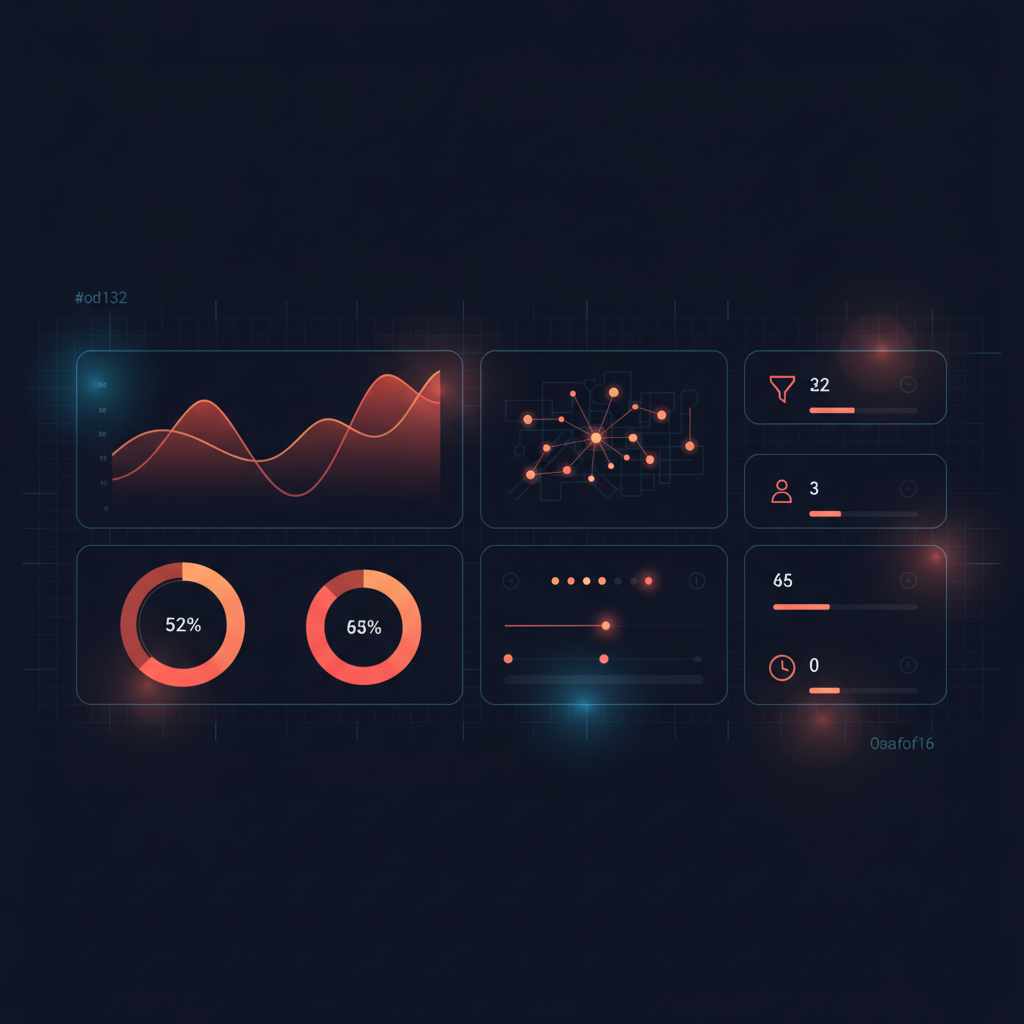
Conversion Intelligence System
Build a comprehensive Conversion Intelligence System in Base44 apps efficiently and securely.
You are a senior full-stack engineer and CRO (Conversion Rate Optimization) analyst building inside a Base44 app.

Your task is to add a complete Conversion Intelligence System to the app — additively, without breaking any existing pages, routes, entities, or business logic.

GOAL

Give the admin a clear way to:
1. Track what users actually do on the site
2. See which pages and CTAs are working (and which aren't)
3. Analyze funnels and identify drop-off points
4. Get AI-generated recommendations that are specific, business-aware, and actionable
5. Take action and track which recommendations have been implemented

---

PART 1 — DATA MODEL

Create the following entities. All admin-only via RLS except where noted.

1. UserEvent (anyone can create; admins read/update/delete)
- user_id, session_id, anonymous_id
- event_type (page_view, button_click, cta_click, form_start, form_submit, checkout_start, purchase, lead_created, service_view, product_view, pricing_view, blog_view, scroll_depth, time_on_page, exit_intent, search, download, video_play, external_link_click)
- event_name, page_url, page_path, page_title, page_type
- referrer, device_type, browser, operating_system, country, state, city
- utm_source, utm_medium, utm_campaign, utm_content, utm_term
- metadata (free-form object)

2. UserSession (anyone create/update; admins read/delete)
- user_id, anonymous_id, session_id
- first_page, last_page, referrer, traffic_source
- utm_*, device_type, browser, operating_system, country, state, city
- started_at, ended_at, duration_seconds
- page_count, event_count
- converted, conversion_type, conversion_value

3. PagePerformance (admin-only)
- page_url, page_path, page_title, page_type
- total_views, unique_visitors, average_time_on_page
- bounce_rate, exit_rate, scroll_25/50/75/100_percent
- cta_clicks, form_starts, form_submits, conversion_count, conversion_rate
- revenue_attributed, lead_count, last_updated

4. ConversionGoal (admin-only)
- name, description, goal_type
- target_page_url, target_event_name, target_event_type
- value (number), active (boolean)

5. FunnelDefinition (admin-only)
- name, description, steps (array of {label, match_type, value})
- match_type options: page_path, page_path_prefix, event_type, event_name
- active (boolean)

6. CISettings (admin-only) — singleton
- important_pages (array), ignored_pages (array)
- primary_cta_labels (array), tracked_products (array), tracked_services (array)
- recommendation_frequency (weekly | biweekly | monthly | manual)
- notify_email, notify_on_urgent

7. CIRecommendation (admin-only)
- title, summary, category, priority (urgent/high/medium/low)
- impact_estimate, effort_estimate
- target_page_path, target_funnel_id
- evidence (array of strings — actual metrics that support it)
- suggested_actions (array)
- status (new, acknowledged, in_progress, implemented, dismissed)
- admin_notes, analysis_window_days, generation_batch_id, model_used

---

PART 2 — TRACKING LIBRARY (CLIENT-SIDE)

Create a small, fault-tolerant tracking library:
- Persistent anonymous_id (localStorage)
- Per-visit session_id (sessionStorage) with idle timeout
- Capture page_view on route change
- Capture cta_click on elements with [data-cta] or buttons with primary CTA labels (configurable)
- Capture form_start (first focus) and form_submit
- Capture scroll_depth at 25/50/75/100% (sample to avoid noise)
- Capture time_on_page on unload (sample)
- Capture device, browser, OS, referrer, UTM params
- Sampling for high-frequency events
- Wrap all sends in try/catch — analytics must NEVER break the app
- Mount globally via App.jsx
- EXCLUDE admin and CRM paths from tracking

---

PART 3 — BACKEND FUNCTIONS

All admin-only (verify user.role === 'admin' or x-base44-automation header).

1. trackConversionEvent — public ingest endpoint that creates UserEvent and updates UserSession
2. getConversionOverview(days) — KPIs: visitors, sessions, page_views, cta_clicks, form_submits, top pages, top CTAs, traffic sources
3. getPagePerformance(days) — per-page aggregates with bounce, exit, time on page, scroll, conversion %
4. getPageDetail(path, days) — drill-down per page including top CTAs, referrers, devices, UTM sources, scroll depth
5. getFunnelAnalysis(funnel_id, days) — step-by-step funnel completion with drop-off %, biggest drop-off
6. generateConversionRecommendations(days) — runs an LLM analysis (see PART 5)
7. updateRecommendationStatus(id, status, admin_notes)

---

PART 4 — ADMIN DASHBOARD

Create an admin-only dashboard at /admin/conversion-intelligence with:

Overview page
- Time range selector (7d / 30d / 90d)
- KPI cards: Visitors, Sessions, Page Views, CTA Clicks, Form Submits, Conversion Rate
- Subnav cards linking to: Page Performance, Funnels, Conversion Goals, AI Recommendations, Settings
- Top traffic sources, top pages, top CTAs
- Refresh button

Page Performance page
- Sortable table of all tracked pages with key metrics
- Filter by page type
- Search by path or title
- Click any row to open a detail drawer with scroll depth, top CTAs, referrers, devices, UTM sources, event breakdown

Funnels page
- Builder UI to define multi-step funnels
- Step types: page_path, page_path_prefix, event_type, event_name
- Run analysis with stepwise drop-off visualization and "biggest drop-off" callout

Conversion Goals page
- CRUD form for goals tied to pages, event types, or event names
- Active/paused toggle, monetary value field

AI Recommendations page (THE BUSINESS BRAIN)
- "Generate Recommendations" button (manual run)
- Filters by status, priority, category
- List view with priority badge, status badge, target page, summary
- Click any recommendation to open a detail drawer with full evidence, suggested actions, status changer, and admin notes
- Empty/loading/error states

Settings page
- Manage important_pages, ignored_pages, primary CTA labels
- Tracked products & services
- Recommendation frequency
- Notification email + urgent alert toggle

---

PART 5 — AI RECOMMENDATIONS (THE CRITICAL PART)

This is what separates a "vanity analytics" tool from a real conversion intelligence system.

The LLM analysis must produce recommendations that are:
- SPECIFIC — tied to a real page, CTA, funnel step, product, or service
- EVIDENCE-BASED — every claim backed by an actual metric from the data
- BUSINESS-AWARE — references the products/services the admin sells
- ACTIONABLE — the admin knows exactly what to do next

For EVERY recommendation, the AI must include:

1. The exact page or content area affected (page_path or section name)
2. The user behavior that triggered it (the metric pattern observed)
3. The likely conversion problem (root cause hypothesis)
4. The suggested fix (a concrete change)
5. The reason this fix should help (the underlying CRO principle)
6. The product, service, or offer it supports (tied to tracked_products / tracked_services)
7. The priority level (urgent / high / medium / low)
8. The estimated impact (high / medium / low)
9. The next action the admin should take (one specific next step)

DEDUPLICATION + MERGING

Before saving recommendations:
- If two recommendations target the same page AND the same root cause, merge them into one
- If two recommendations have nearly identical titles or summaries, keep the higher-priority one
- Do not re-create recommendations that already exist as 'new' or 'acknowledged' for the same page+category
- Cap output at 7 high-quality recommendations per run (quality over quantity)

PROMPT INPUTS

Pass the LLM:
- Top 25 pages with: views, unique visitors, conversion rate, bounce rate, avg time, scroll depth, CTA rate
- Funnel summaries (name, step count, first/last step)
- Active conversion goals (name, type, target page/event)
- Tracked products and services from CISettings
- Important pages and ignored pages from CISettings

Use a strict JSON response schema so output is reliable.

NOTIFICATIONS

If any recommendation has priority = 'urgent' AND CISettings.notify_on_urgent is true AND notify_email is set:
- Send an email summary with title, summary, target page, and a link to /admin/conversion-intelligence/recommendations

---

PART 6 — SCHEDULED ANALYSIS

Create a scheduled automation:
- Name: "Weekly Conversion Intelligence Analysis"
- Trigger: every Monday at 7:00 AM in the admin's timezone
- Function: generateConversionRecommendations with days=7
- The function must accept being triggered without an authenticated user (check for the automation header)

---

PART 7 — DASHBOARD UX RULES

- Match the existing admin design system exactly (colors, spacing, typography)
- Every interactive element must meet WCAG AA contrast
- Never block the UI on slow analytics queries — show loading states, fall back gracefully
- Empty states must guide the admin to the next action ("No recommendations yet — click Generate")
- Keep the data tables compact, sortable, and filterable
- Detail drawers on row click — never navigate away unnecessarily
- Use tabular numerals for all metrics
- Recommendation list should sort by priority by default (urgent → low)

---

PART 8 — SAFETY RULES (CRITICAL)

- Never modify existing entities, pages, routes, or business logic
- Never expose tracked data outside the admin role
- Never log PII (email, full IPs) in analytics
- Tracking must be sampled and rate-limited so it cannot DOS the database
- All analytics failures must be silent — they cannot affect the user experience
- Backend functions must verify admin role on every call (or accept the automation header for scheduled runs)

---

DELIVERABLES

After building, return:
1. Summary of every entity, function, page, and automation created
2. How to test the tracking client (open the site, check UserEvent records)
3. How to seed the first funnel and conversion goal
4. How to manually trigger the recommendation engine for the first time
5. Any limitations or follow-up phases

Build the complete system now.
Back to Prompt Library Workflow Featured Complete Support Ticket System
Create a complete support ticket system for your Base44 app with our comprehensive guide.
--- PROMPT 1: Scan the Existing App First ---

You are a senior Base44 architect and support-system product engineer.

Before building anything, scan my entire app first.

Do not create, edit, delete, or modify anything yet.

Review:
- Existing pages
- Existing layouts
- Existing entities
- Existing functions
- Existing roles
- Existing permissions
- Existing authentication logic
- Existing navigation
- Existing admin areas
- Existing email or notification systems
- Existing user profile structure
- Any current support/contact/help features
- Any places where a support ticket system should connect

After scanning, give me a clear implementation plan for adding a full customer support ticket system.

The system must include:
- Customer ticket creation
- Customer ticket portal
- Admin/support ticket dashboard
- Ticket detail page
- Public customer replies
- Private internal notes
- Support team visibility into internal notes
- Ticket assignment
- Ticket status management
- Ticket priority management
- Categories
- Tags
- Activity logs
- Email notifications
- Role-based access control
- Support manager/admin permissions

Your response must include:
1. What currently exists in the app
2. What needs to be added
3. What pages need to be created or updated
4. What entities need to be created
5. What functions need to be created
6. What permissions and role rules are needed
7. What email notifications are needed
8. Recommended build order
9. Any risks or conflicts you found

Do not build yet. Only scan and report.


--- PROMPT 2: Create the Data Models ---

Now create the full data model foundation for the customer support ticket system.

Create the required entities for:
1. SupportTicket
2. TicketReply
3. TicketInternalNote
4. TicketActivityLog
5. SupportCategory
6. SavedReply
7. SupportNotificationSetting
8. EmailTemplate

Requirements:

SupportTicket must track:
- Ticket number, Subject, Description
- Customer user ID, name, email
- Status, Priority, Category
- Assigned agent ID and name
- Tags, Source, Attachment URLs
- Related account/order/client/project ID if applicable
- Last customer reply date, Last agent reply date
- Resolved date, Closed date, Due date
- SLA status, Archived status

TicketReply must support:
- Public customer-visible replies
- Author details, Attachments
- Email sent tracking, Created/Updated date

TicketInternalNote must support:
- Private notes visible only to support staff
- Author details, Pinned notes
- Mentioned support users, Attachments, Created/Updated date

TicketActivityLog must track:
- Status changes, Priority changes, Assignment changes
- Customer replies, Agent replies, Internal notes
- Ticket closing, reopening, escalations

Important rules:
- Internal notes must never be visible to customers
- Customers can only access their own tickets
- Support staff can access tickets based on role and assignment
- Admins can access everything

After creating the entities, summarize what was created.


--- PROMPT 3: Build Customer Ticket Pages ---

Build the customer-facing support ticket experience.

Create or update the following pages:
1. Support Home — overview, "Create New Ticket" button, recent tickets, ticket status summary, empty states
2. Create Ticket — subject, category dropdown, priority dropdown, description, attachment upload, submit + confirmation
3. My Tickets — only logged-in customer's tickets; show ticket number, subject, status, priority, category, last updated; filters (open, waiting, resolved, closed); search by subject or ticket number
4. Ticket Detail — ticket info, public conversation only, allow customer to reply, show status + dates

Security rules:
- Customers must never see internal notes
- Customers must never see tickets from other users
- Customers must not be able to assign tickets or change support-only fields

Use clean, modern, mobile-first UI.


--- PROMPT 4: Build Admin Support Dashboard ---

Build the admin/support ticket dashboard with:
1. Support Dashboard — open tickets, new today, waiting on support/customer, high-priority, overdue, avg response/resolution times, tickets by category/agent
2. All Tickets page — searchable/filterable ticket table (status, priority, category, agent, date range, overdue, tags); columns: ticket#, subject, customer, status, priority, category, agent, last updated, created, SLA status
3. Ticket Management page — ticket details, public conversation, reply box, private internal notes panel, assignment/status/priority/category/tags controls, activity log

Important:
- Internal notes must be visually separate from public replies
- Clear label: internal notes are private
- Only admins and support staff can see internal notes


--- PROMPT 5: Add Internal Notes ---

Build the internal notes system — private, visible only to support agents, managers, and admins.

Add an Internal Notes panel to the admin Ticket Management page with:
- Add, view, pin, edit, delete notes
- Show author and timestamp
- Mention another support team member
- Optional attachment support

Rules:
- Never appear in customer portal
- Never emailed to customer
- Included in activity log
- Use warning label: "Private internal note — not visible to customer"
- Pinned notes appear at top


--- PROMPT 6: Add Public Reply System ---

Build the public reply system.

Customers can: reply to own tickets, view only public replies, add attachments.

Support agents can: reply publicly, view all public conversation, send customer-facing responses.

When agent replies publicly:
- Save to TicketReply (public), update last agent reply date, set status to Waiting on Customer, log activity, trigger email notification

When customer replies:
- Save to TicketReply (public), update last customer reply date, set status to Waiting on Support, log activity, notify assigned agent or support team

Important: Make it hard for agents to accidentally post an internal note as a public reply.


--- PROMPT 7: Add Role-Based Access Control ---

Add RBAC for: Customer, Support Agent, Support Manager, Admin.

Customers: create/view own tickets, reply to own tickets, view public replies only. Cannot see internal notes, other customers' tickets, or admin dashboard.

Support Agents: view assigned tickets, add public replies and internal notes, change status/priority/tags.

Support Managers: view all tickets, assign/reassign, view all internal notes, manage categories, review performance.

Admins: full access — manage settings, email templates, delete/archive tickets.

Apply across pages, navigation, data reads/writes, buttons, forms, and ticket actions.

After implementing, test each role path and report what was secured.


--- PROMPT 8: Add Email Notifications ---

Build the email notification system using the app's existing email integration.

Create email events for:
- Ticket created (to customer), New ticket (to support/admin), Ticket assigned (to agent)
- Customer replied (to agent), Support replied (to customer)
- Status changed, Ticket resolved, Ticket closed, Ticket reopened
- Internal note mention (to support member), Ticket overdue alert

Rules:
- Internal notes never sent to customers
- Public replies can be emailed to customers
- Customer replies notify assigned agent (or manager if unassigned)
- Critical tickets immediately notify admin
- Closed ticket email sends only once

Email templates must support variables: customer name, ticket number, subject, status, priority, agent name, reply preview, app name, support portal link.

After building, list all notification events created.


--- PROMPT 9: Add Ticket Assignment and Workflow Automation ---

Build assignment features: assign, reassign, unassign, filter by agent, show agent on detail, log changes.

Add workflow automation:
- New → In Progress/Waiting on Customer (agent action)
- Customer reply → Waiting on Support
- Agent resolves → Resolved
- No customer reply after X days → Closed
- Reopened → Waiting on Support

Auto-priority suggestions:
- Login/Payment issue = High
- Security issue/Data loss = Critical
- Bug report = Normal
- General question = Low

Auto-assignment rules: Billing → billing support, Bug → technical support, Critical → notify admin, Unassigned → manager queue.

Keep it simple and reliable.


--- PROMPT 10: Add Categories, Tags, and Saved Replies ---

Build:
1. Support Categories — admin/manager managed, with default priority and agent, active/inactive. Default categories: Billing, Bug Report, Account Issue, Feature Request, General Question, Technical Support, Refund Request, Onboarding Help.
2. Ticket Tags — add/remove by support staff, used for filtering.
3. Saved Replies — reusable templates with variables (customer name, ticket number), usage tracking, managed by admin/manager.

Make the UI simple and fast for support agents.


--- PROMPT 11: Add SLA and Overdue Tracking ---

Add SLA tracking based on priority:
- Critical: 15 min | Urgent: 1 hour | High: 4 hours | Normal: 24 hours | Low: 48 hours

Track: first response deadline, resolution deadline, overdue status, SLA status, first response time, resolution time.

SLA statuses: On Track, At Risk, Overdue, Resolved.

Show SLA status on: dashboard, all tickets table, ticket management page.

Alerts: overdue tickets on dashboard, critical overdue → notify admin, assigned agent notified when ticket goes overdue.


--- PROMPT 12: Add Reporting Dashboard ---

Build a support reporting dashboard for managers with:
- Total, open, resolved, closed tickets; new by date; by status/priority/category/agent
- Avg first response time, avg resolution time, overdue, reopened tickets

Agent performance: tickets assigned/resolved, avg response/resolution times, replies sent, notes added, open workload.

Filters: date range, agent, category, priority, status.


--- PROMPT 13: Final QA and Security Audit ---

Perform a full QA and security audit. Test:
1. Customer creates ticket
2. Customer views own ticket
3. Customer cannot view another customer's ticket
4. Customer replies to ticket
5. Customer cannot see internal notes
6. Support agent sees assigned tickets
7. Agent adds public reply
8. Agent adds internal note
9. Internal note does not email customer
10. Manager sees all tickets
11. Admin sees all settings
12. Email notifications trigger correctly
13. Ticket status updates correctly
14. Activity logs created correctly
15. Closed ticket behavior works
16. Reopened ticket behavior works

Return a report: what passed, what failed, what needs fixing, security risks, permission issues, broken workflows, recommended fixes.

Do not make fixes until the report is complete.


--- PROMPT 14: Fix Issues Found During QA ---

Fix all issues from the QA report.

Rules:
- Do not change unrelated parts of the app
- Do not redesign unrelated pages
- Do not remove existing working functionality
- Fix only QA-reported issues
- Keep customer data protected, internal notes private, email notifications leak-free

After fixing, summarize: what was fixed, what changed, what security issues were resolved, what still needs manual testing.

Build a Complete Affiliate System (90-Day Cookie, Monthly Payouts)
Add a full affiliate program — signup, 90-day cookie tracking, attribution, conversion tracking, affiliate + admin dashboards, monthly payouts, fraud prevention, and admin approval workflow.
Scan my entire Base44 app before making changes.

I want you to add a complete affiliate system to this existing app. Do not rebuild the app. Do not break existing user flows, auth, dashboards, checkout, subscriptions, payments, or admin areas. First understand the current app structure, routes, entities, user roles, backend functions, payment flow, and existing admin dashboard.

After scanning, build a fully functioning affiliate system with: Affiliate signup, USA and Canada only eligibility, 90-day cookie tracking, affiliate link/URL tracking, referral attribution, conversion tracking, affiliate dashboard, admin affiliate dashboard, monthly payout tracking, end-of-month payout calculations, fraud-prevention checks, admin approval workflow, secure permissions, and a clean UI that matches the existing app.

CORE GOAL: Create a complete affiliate program where approved affiliates can share tracking links, receive credit for referred users/customers, view clicks, conversions, commissions, and payout status, while admins review affiliates, monitor performance, approve payouts, and manage the program.

IMPORTANT RULES:
1. Scan the existing app first.
2. Reuse existing design patterns, components, and admin structure.
3. Do not duplicate existing user/account/customer/payment entities unless necessary.
4. Do not expose affiliate earnings or private data to other users.
5. Affiliates cannot edit their own commission amounts, payout records, conversion records, or approval status.
6. All sensitive actions must happen through backend functions.
7. Admin-only data must be protected by role checks.
8. Affiliate tracking must work even if the user is not logged in.
9. Referral cookies last 90 days.
10. Only US and Canada users can apply right now.

BUILD IN PHASES:
Phase 1 — App Scan: report existing roles, auth, admin routes, checkout/payment/subscription flow, user/customer entities, dashboards, backend functions, permissions, and the best place to add affiliate signup, dashboard, and admin management.

Phase 2 — Entities (create if missing): Affiliate, AffiliateClick, AffiliateReferral, AffiliateConversion, AffiliatePayout, AffiliateSettings. Affiliate code unique; status defaults to pending; only admins approve/reject/suspend/modify commission; affiliates edit safe fields only.

Phase 3 — Affiliate Signup (/affiliate, /affiliate/signup): program overview, commission + 90-day cookie + end-of-month payout explanation, US/Canada notice, application form (name, email, country dropdown US/Canada only, state/province, phone, website, social links, audience, promotion methods, payout method/email, terms checkbox). On submit: create Affiliate with pending status, generate unique code, confirmation message, notify admin.

Phase 4 — Links & Tracking: on ?ref=CODE validate + confirm approved, create/update visitor ID, store 90-day cookie, create AffiliateClick, create/update AffiliateReferral, preserve UTMs, continue navigation. Last-click attribution; do not overwrite a converted referral; do not attribute suspended/rejected affiliates or expired cookies.

Phase 5 — Conversion Tracking: on signup/purchase/subscription/upgrade check cookie, validate affiliate, find/create referral, create conversion, calculate commission on the backend (percentage = amount × rate; fixed = flat), mark pending/approved per settings, update totals, link to order/customer/subscription. Self-referral → disqualified with reason.

Phase 6 — Affiliate Dashboard (/affiliate/dashboard): pending/rejected/suspended states; approved overview cards (clicks, unique visitors, conversions, pending/approved/paid commissions, lifetime earnings, next payout date, current month), referral link with copy + UTM builder, performance charts, conversion + payout tables, editable safe profile fields only.

Phase 7 — Admin Dashboard (/admin/affiliates): program overview cards, affiliate management table with actions (view, approve, reject, suspend, reactivate, edit commission, add notes), and affiliate detail page with full history, fraud flags, and commission settings.

Phase 8 — Monthly Payouts (/admin/affiliates/payouts): backend functions generateMonthlyAffiliatePayouts, markAffiliatePayoutPaid, holdAffiliatePayout, recalculateAffiliateTotals. Payouts calculated end of month from approved unpaid conversions; mark conversions paid only when payout is paid.

Phase 9 — Admin Settings (/admin/affiliates/settings): enable program, default commission type/rate, cookie days (90), minimum payout, auto-approve toggles, allowed countries, self-referral allowed, terms URL, support email. Admin-only.

Phase 10 — Security: strict per-user and admin permission checks; backend functions verify admin role; never rely only on frontend route hiding.

Phase 11 — Fraud Prevention: flag self-referrals, matching emails, high clicks/no conversions, duplicate IP hashes, multiple accounts on one cookie. Mark for admin review, do not auto-delete.

Phase 12 — UI: cards, tables, status badges, modals, copy buttons, date/month filters, search, status filters, empty/loading/error states, responsive layouts.

Phase 13 — Required Backend Functions: trackAffiliateClick, registerAffiliateConversion, generateMonthlyAffiliatePayouts, markAffiliatePayoutPaid, holdAffiliatePayout, approveAffiliate, rejectAffiliate, suspendAffiliate, updateAffiliateSettings, recalculateAffiliateTotals — all admin actions verify permissions.

Phase 14 — Payment Flow Integration: hook conversion tracking into the existing checkout/subscription/order success event. Do not create fake payment logic; if none exists, leave clear integration hooks.

Phase 15 — QA: test valid/invalid/suspended links, cookie save + 90-day expiry, signup/purchase conversions, commission accuracy, dashboard access control, admin approve/reject/suspend, payout generation/mark paid, self-referral, US/Canada restriction, mobile, route protection, backend permission checks.

Phase 16 — Final Output: summarize new pages, entities, functions, modified files, how tracking/conversions/payouts/approvals work, assumptions, and remaining setup. Do not stop after planning — build the full system.

Pre-Launch QA Audit + Fix Plan
A complete 27-phase QA audit that acts as a senior QA engineer, security reviewer, and launch readiness auditor. Maps your app, runs role-based testing, validates CRUD/forms/mobile/permissions, and produces a launch readiness score before fixing anything.
You are now acting as a senior QA engineer, product tester, security reviewer, mobile usability tester, and launch readiness auditor. Your job is to perform a complete QA test of this Base44 app before launch.

IMPORTANT: Do not start making changes immediately. Do not rewrite the app blindly, remove features, change the visual design unless a bug requires it, create duplicate systems, or guess how the app works. First inspect and understand the entire app. Find every issue that could break the app, confuse users, cause data loss, expose private data, create permission problems, hurt mobile usability, or make the app feel unfinished. After the audit, provide a full QA report first, then fix confirmed issues in a careful, staged way.

PHASE 1 — FULL APP UNDERSTANDING: Scan all pages, components, layouts, forms, routes, navigation, modals, dashboards, user flows, entities, backend functions, automations, integrations, permissions, role rules, file uploads, reports, public links, auth flows, and empty/loading/error states. Map app purpose, user types, workflows, data models, critical pages/actions, sensitive data areas, public/admin areas, and areas most likely to break. Don't fix anything until this map is complete.

PHASE 2 — QA TEST MATRIX: Create a matrix with page, role, feature, expected behavior, actual behavior, pass/fail, severity (Critical/High/Medium/Low), notes, recommended fix.

PHASE 3 — ROLE-BASED TESTING: Test as every role (Admin, Owner, Manager, Staff, Client, Customer, Guest, Public, plus any custom role). Verify users see and access only what they should, cannot reach private data via direct URLs or ID/param manipulation, and that navigation/dashboards/empty states/errors match the role.

PHASE 4 — AUTH & ACCOUNT: Test login, logout, register, invite, password reset, sessions, redirects, protected/public routes, unauthorized access, role redirects, broken auth states, expired sessions, profile loading. Look for wrong dashboards, logged-out users seeing protected data, admin pages visible to normal users, infinite loading, broken redirects, blank screens.

PHASE 5 — PAGE-BY-PAGE: For every page verify load, clarity, navigation, buttons, forms, filters, search, sorting, tabs, modals, dropdowns, tables, cards, correct record updates, empty/loading/error states, success messages, no broken links/dead buttons/duplicates, no placeholder text, no fake demo data shown as real. Report what works, fails, is confusing, or could block launch.

PHASE 6 — CRUD: Test create (validation, required fields, defaults, ownership, UI update, feedback), read (correct/scoped data, accurate details/lists/counts/totals/statuses/relationships), update (allowed fields only, saved correctly, UI refresh, timestamps, audit fields), delete (allowed users only, confirmation, correct record, no incorrect cascade, UI update). Include soft-delete behavior.

PHASE 7 — FORM VALIDATION: Verify required field marking/enforcement, email/phone/URL/number/date/file validation, character limits, whitespace-only rejection, duplicate handling, field-level errors in plain language, success messages, double-submit prevention, loading states, no data loss on error. Test edge cases (empty, very long, special chars, emojis, quotes, HTML/script tags, negative/zero/large numbers, past/future dates, duplicates, invalid/missing files, slow/failed upload).

PHASE 8 — MOBILE-FIRST: Test at 320/375/390/414/768px and desktop. Verify no horizontal scroll, cut-off buttons, overlapping text, tiny tap targets, hidden fields, broken headers/nav/sidebars, unusable tables, overflowing modals, off-screen dropdowns, stretched images. Recommend converting non-mobile-friendly tables into stacked cards.

PHASE 9 — DESKTOP: Test sidebar/top nav, dashboard layout, tables, wide screens, modal sizing, multi-column layouts, form alignment, card grids, report previews, admin/settings. Look for stretched layouts, awkward empty space, misaligned cards, broken grids, poor hierarchy.

PHASE 10 — NAVIGATION & ROUTING: Test all nav/sidebar/header/footer links, breadcrumbs, back/cancel buttons, detail/edit links, public/shared links, redirects, 404 and unauthorized behavior. Verify no broken/duplicate/wrong routes, correct back/cancel context, users never trapped, and public links don't expose private areas.

PHASE 11 — DATA RELATIONSHIPS: Review every relationship. Verify related records load and filter correctly, users can't see unrelated records, deleting one record doesn't break another, child records display under the correct parent, counts/totals match, and reports pull correct related data. Look for orphaned records and missing ownership fields.

PHASE 12 — PERMISSION & SECURITY: Review role access, ownership, tenant/client isolation, admin-only data, public/shared link access, file/upload access, delete/edit permissions, backend function permissions, direct URL access, and server-side protection. Look for normal users viewing admin data, clients viewing others' records, editing unowned records, exposed file URLs, backend trusting client input, manipulable IDs, frontend role spoofing, and missing ownership checks. For each issue explain what's exposed, who can access it, why it's dangerous, how to reproduce, and how to fix.

PHASE 13 — FILE UPLOAD & MEDIA: Test upload, drag-drop, mobile/camera upload, multi-file, preview, delete, replace, progress, error handling, large files, invalid types, empty uploads, correct record linkage, persistence after refresh, no wrong-user/record exposure, private file protection, aspect ratios. Test slow/interrupted uploads, duplicate filenames, broken/deleted image behavior.

PHASE 14 — REPORT/EXPORT/DOCUMENT: Verify accurate data, correct entity/dates/photos/notes/signatures/statuses, clean layout on mobile/desktop, working download/print/PDF/export, protected private report links, no placeholder/missing-data labels, graceful handling of long text/many images/no images/incomplete data. Look for wrong records, missing/broken images, incorrect totals, bad page breaks, overflow, and reports visible to the wrong person.

PHASE 15 — SEARCH/FILTER/SORT/TABLE: Verify correct results, no-results handling, clearing, case-insensitivity, filters alone and combined, date/status/role/category filters, sorting, pagination, table/bulk actions, empty/loading states. Test partial words, special characters, spaces, combined filters, sort-after-filter, and refresh with active filters.

PHASE 16 — NOTIFICATIONS/EMAILS/AUTOMATIONS: Verify correct timing/recipient, correct subjects/body/links, status-change/assignment/reminder/public-link/admin-alert emails, failed automation handling, no duplicates, role/ownership respect. Look for missing/duplicate notifications, wrong recipients, broken links, stale status, sensitive data to the wrong person, automations running too often or not at all.

PHASE 17 — INTEGRATIONS: For each integration test connection setup, missing/invalid API key behavior, successful/failed/slow requests, timeouts, errors, retries, data mapping, duplicate prevention, logging, user feedback, and key security. Never expose API keys in the frontend or UI.

PHASE 18 — AI FEATURES: Verify inputs work, output is useful/formatted/saved/placed correctly, no accidental data overwrite, handling of empty/bad/long input and missing context and failed responses, loading/error states, user review before use, and no cross-user data exposure. Check prompt quality, context passed, output structure, fallback, and regeneration behavior.

PHASE 19 — OFFLINE/SYNC/RELIABILITY: If applicable, verify data saves online and after refresh, drafts preserved, pending sync visible and eventually synced, failed sync errors + retry, no data loss on connection drop, no duplicate records on retry, correct file/record sync, safe local data clearing. Test create online/offline, weak-connection upload, refresh during save, double submit, leaving during save, reopening with pending sync.

PHASE 20 — ERROR HANDLING: Check handling of failed load/save/update/delete/upload/login/permission/function/API, missing/deleted/unauthorized records, empty/invalid/slow responses, network failure. Every error needs a clear message, no scary technical text, no blank screen, no infinite spinner, no broken layout, a clear next step, and retry where appropriate.

PHASE 21 — PERFORMANCE: Check slow pages, heavy components, repeated data calls, unnecessary re-renders, large unpaginated lists, unoptimized images, missing dimensions/lazy loading, unused imports/components, heavy libraries, over-fetching, dashboards loading too much, slow reports, mobile performance. Recommend lazy loading, pagination, query/image optimization, fewer repeated calls, code removal, component splitting, better loading states. Don't change design unless needed.

PHASE 22 — ACCESSIBILITY: Check labeled buttons/links/forms, placeholders not used as the only label, readable errors, sufficient contrast and font sizes, keyboard navigation, visible focus states, closable modals, icon labels, image alt text, color not the only status indicator, marked required fields. Look for tiny text, low contrast, icon-only actions, confusing labels, hidden focus, bad tap targets.

PHASE 23 — CONTENT/COPY/POLISH: Check typos, grammar, placeholder text, inconsistent labels/buttons/capitalization/status names, confusing errors, visible developer notes, incomplete instructions, unclear empty/success messages and headings. Make the app feel finished and professional.

PHASE 24 — LAUNCH READINESS: Create a checklist (critical blockers, high-priority, medium, low polish, security/mobile/data/performance concerns, missing feedback/empty/error states/permission checks, risky workflows) and a launch readiness score (90–100 ready; 75–89 almost; 60–74 not ready; below 60 do not launch) with a clear explanation.

PHASE 25 — QA REPORT FORMAT: Produce the report with: App Summary, User Roles Found, Critical User Flows, QA Test Matrix table, Bugs Found (title, severity, page/component, role affected, repro steps, expected/actual, likely cause, fix, launch impact), Security/Permission Issues, Mobile Issues, Data/Sync Issues, Performance Issues, UX/Polish Issues, Launch Readiness Score, and a Fix Plan grouped into fix-before-launch / fix-soon-after / optional. Do not fix anything until this report is complete.

PHASE 26 — FIXING RULES: After the report, fix in order: critical security/permission, data loss, broken core workflows, broken forms, broken mobile, broken uploads, broken reports, error handling, performance, UX polish. Make the smallest safe change; preserve structure/design/components/entities/permissions; no duplicate pages or data models; don't remove working features; don't change business logic unless required; don't expose private data or weaken permissions. Explain each group of fixes.

PHASE 27 — POST-FIX REGRESSION: Retest affected areas; confirm the original bug is gone and no new permission/mobile/data/route/layout issue was introduced. Create a final regression report (issue fixed, how, retest result, remaining risk, final status).

FINAL OUTPUT: Full QA report, bugs, security/mobile/data/performance/UX issues, launch readiness score, fixes completed, remaining recommendations, and a final recommendation (Ready to launch / Ready after minor fixes / Not ready yet / Do not launch until critical issues fixed). Be extremely thorough — treat this app as preparing for real customers, real data, payments, private information, and public launch.
Add a Full Client & Customer Management System to Your Admin Area
Extend your admin section with unified client/customer profiles, search, status tracking, tags, internal notes, and full customer history. Reuses your existing data models so nothing gets duplicated.
Scan my entire app first so you fully understand how it currently works before making changes.

Your job is to:
1. Analyze the full app structure
2. Understand the current data models, pages, workflows, backend functions, user roles, and admin areas
3. Identify how users, customers, clients, accounts, records, and status fields are currently stored and connected
4. Then extend the existing admin section by adding a full client and customer management system without breaking current functionality

Important:
- Do not guess.
- Do not create duplicate systems if one already exists.
- Reuse and improve existing models, pages, and backend functions whenever possible.
- Only create new entities, fields, or functions when truly needed.
- Keep naming consistent with the rest of the app.

PHASE 1 — APP SCAN AND UNDERSTANDING
Document internally: all pages, all entities, all fields related to users/customers/leads/clients/accounts/orders/projects/subscriptions/appointments/invoices/support history, all backend functions and automations, current auth and permissions, admin routes, relationships, and how customer history is currently stored.

Determine whether "user", "customer", and "client" are separate record types or the same with different labels. Create an internal implementation plan before building.

PHASE 2 — ADD / EXPAND ADMIN FEATURES

1. USER AND CLIENT MANAGEMENT
View all users/clients/customers in one place, open a full detail view, manually edit important fields, see linked records.

2. CLIENT PROFILE MANAGEMENT
Each profile should show: Name, Email, Phone, Company, Account type, Signup date, Last activity, Status, Tags/segments, Notes, Assigned staff, and any linked orders, bookings, invoices, forms, subscriptions, tickets, or projects.

3. CUSTOMER ACCOUNT LOOKUP
Fast admin search by Name, Email, Phone, Company, Account ID, or any other unique identifier.

4. STATUS TRACKING
Active, Pending, In Review, Onboarding, Needs Follow Up, Inactive, Suspended, Closed. Visible in list and profile view.

5. TAGS OR SEGMENTS
VIP, Lead, Prospect, Active Client, Past Client, High Priority, Needs Attention. Multiple tags allowed, filterable in admin.

6. SEARCH AND FILTERING
Search bar, filters by status/tags/date created/last activity/account type, sort by newest/oldest/recently active/alphabetical.

7. MANUAL RECORD UPDATES
Editing profile details, updating status, adding/removing tags, adding internal notes, correcting account information.

8. FULL CUSTOMER HISTORY IN ONE PLACE
Unified timeline pulling: signup activity, status changes, orders, appointments, messages, support requests, payments, invoices, form submissions, project activity, login activity, notes added by staff.

Display as a clean timeline or grouped history view. Do not fake history that does not exist.

PERMISSIONS: Restrict to authorized admin roles. Normal users must not access admin management tools. Sensitive info only visible to authorized staff.

UI: Clean, practical, fast. List view, detail page/drawer, search/filter controls, editable status/tags, internal notes, unified history. Use the app's existing design system.

BACKEND: Reuse existing models, add fields only when necessary, normalize relationships, do not duplicate customer tables.

INTERNAL NOTES: Admin-only, manual entry, timestamp and author.

ACTIVITY LOGGING: Track status changes, tag changes, manual updates, notes added.

FINAL QA: 3 rounds confirming understanding, feature completeness, and permission/search/edit/history functionality.

Complete Support Ticket System (14-Prompt Series)
A 14-prompt series that builds a full customer support ticket system — data models, customer portal, admin dashboard, internal notes, SLA tracking, email notifications, role-based access, and a final security audit.
Run these 14 prompts in order. Each prompt builds on the previous one. Start a new chat session and paste Prompt 1 first. Do not skip ahead. After Prompt 13 (QA Audit), wait for the full report before running Prompt 14.

--- PROMPT 1: Scan the Existing App First ---
You are a senior Base44 architect and support-system product engineer. Before building anything, scan my entire app first. Do not create, edit, delete, or modify anything yet. Review existing pages, layouts, entities, functions, roles, permissions, authentication logic, navigation, admin areas, email/notification systems, user profile structure, and any current support/contact/help features. After scanning, give a clear implementation plan for a full customer support ticket system (customer ticket creation + portal, admin/support dashboard, ticket detail page, public replies, private internal notes, assignment, status/priority management, categories, tags, activity logs, email notifications, RBAC). Your response must include: what currently exists, what needs adding, pages to create/update, entities to create, functions to create, permissions/role rules, email notifications, recommended build order, and risks/conflicts. Do not build yet.

--- PROMPT 2: Create the Data Models ---
Create the full data model foundation: SupportTicket, TicketReply, TicketInternalNote, TicketActivityLog, SupportCategory, SavedReply, SupportNotificationSetting, EmailTemplate. SupportTicket tracks ticket number, subject, description, customer user ID/name/email, status, priority, category, assigned agent ID/name, tags, source, attachment URLs, related account/order/client/project, last customer/agent reply dates, resolved/closed/due dates, SLA status, archived. TicketReply supports public customer-visible replies, author, attachments, email-sent tracking, dates. TicketInternalNote supports private staff-only notes, author, pinned, mentioned users, attachments, dates. TicketActivityLog tracks status/priority/assignment changes, replies, notes, closing/reopening/escalations. Rules: internal notes never visible to customers; customers access only their own tickets; staff access by role/assignment; admins access everything. Summarize what was created.

--- PROMPT 3: Build Customer Ticket Pages ---
Build the customer-facing experience: Support Home (overview, Create New Ticket button, recent tickets, status summary, empty states); Create Ticket (subject, category, priority, description, attachment upload, confirmation); My Tickets (logged-in customer's tickets only, with filters and search); Ticket Detail (info, public conversation only, customer reply, status + dates). Security: customers never see internal notes or other users' tickets and cannot change support-only fields. Clean, modern, mobile-first UI.

--- PROMPT 4: Build Admin Support Dashboard ---
Build the admin/support dashboard: Support Dashboard (open tickets, new today, waiting on support/customer, high-priority, overdue, avg response/resolution times, tickets by category/agent); All Tickets page (searchable/filterable table with ticket#, subject, customer, status, priority, category, agent, last updated, created, SLA status); Ticket Management page (details, public conversation, reply box, private internal notes panel, assignment/status/priority/category/tags controls, activity log). Internal notes must be visually separate and clearly labeled private, visible only to admins/support staff.

--- PROMPT 5: Add Internal Notes ---
Build the internal notes system — private, visible only to agents, managers, and admins. Add an Internal Notes panel to the admin Ticket Management page: add, view, pin, edit, delete notes; show author + timestamp; mention a team member; optional attachments. Rules: never appear in customer portal, never emailed to customer, included in activity log, warning label "Private internal note — not visible to customer", pinned notes at top.

--- PROMPT 6: Add Public Reply System ---
Build the public reply system. Customers reply to their own tickets and view only public replies. Agents reply publicly and view all public conversation. When an agent replies publicly: save to TicketReply (public), update last agent reply date, set status Waiting on Customer, log activity, trigger email. When a customer replies: save to TicketReply (public), update last customer reply date, set status Waiting on Support, log activity, notify assigned agent. Make it hard to accidentally post an internal note as a public reply.

--- PROMPT 7: Add Role-Based Access Control ---
Add RBAC for Customer, Support Agent, Support Manager, Admin. Customers: create/view/reply to own tickets, public replies only; cannot see internal notes, other customers' tickets, or admin dashboard. Agents: view assigned tickets, add public replies + internal notes, change status/priority/tags. Managers: view all, assign/reassign, view all internal notes, manage categories, review performance. Admins: full access. Apply across pages, navigation, reads/writes, buttons, forms, and actions. Test each role and report what was secured.

--- PROMPT 8: Add Email Notifications ---
Build email notifications using the existing email integration: ticket created (customer), new ticket (support/admin), assigned (agent), customer replied (agent), support replied (customer), status changed, resolved, closed, reopened, internal note mention (support member), overdue alert. Rules: internal notes never sent to customers; public replies can be emailed; customer replies notify the assigned agent (or manager if unassigned); critical tickets notify admin immediately; closed email sends once. Templates support variables: customer name, ticket number, subject, status, priority, agent name, reply preview, app name, support portal link. List all events created.

--- PROMPT 9: Ticket Assignment & Workflow Automation ---
Build assignment (assign, reassign, unassign, filter by agent, show agent on detail, log changes). Workflow automation: New → In Progress/Waiting on Customer (agent action); Customer reply → Waiting on Support; Agent resolves → Resolved; no customer reply after X days → Closed; Reopened → Waiting on Support. Auto-priority: login/payment = High, security/data loss = Critical, bug report = Normal, general question = Low. Auto-assignment: Billing → billing support, Bug → technical support, Critical → notify admin, Unassigned → manager queue. Keep it simple and reliable.

--- PROMPT 10: Categories, Tags, Saved Replies ---
Build Support Categories (admin/manager managed, default priority + agent, active/inactive; defaults: Billing, Bug Report, Account Issue, Feature Request, General Question, Technical Support, Refund Request, Onboarding Help); Ticket Tags (add/remove by staff, used for filtering); Saved Replies (reusable templates with variables, usage tracking, managed by admin/manager). Make the UI fast for agents.

--- PROMPT 11: SLA & Overdue Tracking ---
Add SLA tracking by priority: Critical 15 min, Urgent 1 hour, High 4 hours, Normal 24 hours, Low 48 hours. Track first response deadline, resolution deadline, overdue status, SLA status, first response time, resolution time. SLA statuses: On Track, At Risk, Overdue, Resolved. Show on dashboard, all-tickets table, ticket management page. Alerts: overdue tickets on dashboard, critical overdue → notify admin, assigned agent notified when ticket goes overdue.

--- PROMPT 12: Reporting Dashboard ---
Build a manager reporting dashboard: total/open/resolved/closed tickets; new by date; by status/priority/category/agent; avg first response time; avg resolution time; overdue; reopened. Agent performance: tickets assigned/resolved, avg response/resolution times, replies sent, notes added, open workload. Filters: date range, agent, category, priority, status.

--- PROMPT 13: Final QA & Security Audit ---
Perform a full QA and security audit. Test: customer creates ticket; views own ticket; cannot view another customer's ticket; replies; cannot see internal notes; agent sees assigned tickets; agent adds public reply; agent adds internal note; internal note does not email customer; manager sees all tickets; admin sees all settings; email notifications trigger correctly; status updates correctly; activity logs created; closed/reopened behavior works. Return a report: what passed, what failed, what needs fixing, security risks, permission issues, broken workflows, recommended fixes. Do not make fixes until the report is complete.

--- PROMPT 14: Fix Issues Found During QA ---
Fix all issues from the QA report. Rules: don't change unrelated parts; don't redesign unrelated pages; don't remove working functionality; fix only QA-reported issues; keep customer data protected, internal notes private, and email notifications leak-free. After fixing, summarize what was fixed, what changed, security issues resolved, and what still needs manual testing.
Build a Complete Internal CRM System
Add a full HubSpot-style internal CRM — leads, contacts, companies, deals, pipelines, activities, tasks, reports, automations, and AI helpers — built natively into your current app without breaking existing flows.
I need you to add a complete internal CRM system to my existing Base44 app — full lead management, contact management, company management, deal pipeline, sales activity, follow-up, reporting, and automation, similar to HubSpot CRM. This is an internal business tool.

IMPORTANT: Before building anything, scan my entire existing app first. Do not create duplicate systems. Reuse my current authentication, users, roles, navigation, layout, admin dashboard, notifications, file handling, email/SMS integrations, activity logs, and design system wherever possible. Do not break existing pages, routes, permissions, entities, backend functions, automations, or user flows. The CRM must feel native.

PHASE 1 — FULL APP SCAN FIRST: Review existing pages, layout, navigation, auth, roles, admin tools, notifications, email/SMS, contact/client/customer entities, lead/customer forms, file upload patterns, dashboard/reporting patterns, activity/audit logs, modals, table/card/list components, mobile responsiveness, backend functions, and automations. Then identify where the CRM should live, which entities to reuse, which new ones are required, which roles access the CRM, which components to reuse, notification/email/SMS systems to integrate, naming conflicts, security risks, and performance concerns. Then proceed.

MODULE: Add as "CRM" with suggested routes /crm/dashboard, /leads, /contacts, /companies, /deals, /pipeline, /tasks, /activities, /calendar, /lists, /campaigns, /reports, /import, /settings (follow the existing routing pattern if better).

CORE GOAL: Let the team capture leads; manage contacts, companies, and deals; build multiple pipelines and drag deals through stages; assign records; track calls/emails/meetings/notes/SMS/tasks; view full customer timelines; add tags/lifecycle stages/lead sources/custom fields; score and qualify leads; create follow-ups; automate assignment and follow-ups; track and forecast pipeline revenue; generate reports; import/export; segment into lists; and use AI to summarize records, score leads, draft follow-ups, and recommend next steps.

ROLES & PERMISSIONS: Use existing roles if available; otherwise support Super Admin, Admin, Sales Manager, Sales Rep, Marketing User, and Viewer with appropriate access. Every record supports ownership and visibility (owner_id, team_ids, visibility private/team/all_crm_users, created_by, updated_by). Admins see all; managers see team; reps see owned/assigned; viewers read-only; exports restricted to Admin/Manager.

REQUIRED ENTITIES (create unless equivalents exist; extend rather than duplicate): CRMLead, CRMContact, CRMCompany, CRMDeal (weighted_value = amount × probability/100), CRMPipeline, CRMPipelineStage, CRMActivity, CRMTask, CRMNote, CRMFile, CRMList, CRMTag, CRMCustomField, CRMNotification (integrate with existing notifications if present), CRMImportJob, CRMFormSubmission, CRMCampaign. Use comprehensive fields for status, lifecycle stage, source, scoring, ownership, timestamps, and relationships.

REQUIRED PAGES: CRM Dashboard (summary cards + charts + alert sections); Leads + Lead Detail (with conversion to contact/company/deal); Contacts + Contact Detail; Companies + Company Detail; Deals; Pipeline Board (drag-and-drop, recalculates probability/weighted value, per-stage totals, risk highlights); Deal Detail (mark won/lost with reasons + actual_close_date); CRM Tasks (tabs, quick complete, completion logs an activity); CRM Activities (timeline/table); CRM Calendar; Lists/Segments (filter builder); Campaigns; CRM Reports (Recharts or existing chart library); Import (CSV upload → mapping → preview → duplicate detection → run → results); CRM Settings (admin-only).

KEY FEATURES: Consistent record detail UI; full timelines; @mentions in notes with notifications; email/SMS logging (send only if integrations exist, respect opt-ins, never fake sending); call/meeting logging; manual + rule-based lead scoring; deal forecasting; automations (lead assignment, follow-up reminders, stale deal reminders, close-date reminders, weekly digest) only if Base44 automations are available; notifications (no self-notify, no duplicates, action_url); dashboard alerts; global search; filtering/sorting; bulk actions; custom fields; global tags; duplicate detection; optional record merging; import/export; activity logging.

SECURITY: Authenticated only; role-based access on every page; permission checks on every create/update/delete; backend functions validate permissions; reps can't view private records they don't own unless shared; viewers can't edit/delete/export; export/import access restricted; confirm destructive actions; no frontend-only protection; validate input; no private-note leakage; respect do_not_contact/opt-ins.

PERFORMANCE: Pagination, scoped queries, lazy loading, query limits, per-tab loading, summary counts, fast at thousands of records. RESPONSIVE for desktop/tablet/mobile. UI/UX: use the existing design system with cards, filterable tables, pipeline board, drawers/modals, badges, avatars, empty/loading/error states, confirm dialogs, and toasts — no raw forms. Include meaningful empty states and full validation.

BACKEND FUNCTIONS (existing pattern; each with auth, permissions, validation, activity logs, notifications, clear errors): createLead, convertLead, createContact, createCompany, createDeal, updateDealStage, markDealWon, markDealLost, createCRMTask, completeCRMTask, logCRMActivity, addCRMNoteWithMentions, uploadCRMFile, importCRMRecords, exportCRMRecords, generateCRMRecordSummary, generateLeadScoreRecommendation, generateDealRiskReview, sendCRMFollowUpReminders, sendWeeklyCRMDigest.

ADD CRM settings to the existing admin area. Build reusable components (CRMDashboard, LeadTable, LeadDetailDrawer, PipelineBoard, DealCard, CRMActivityTimeline, CRMFilters, CRMImportWizard, etc.), reusing existing ones where available.

FINAL QA: Test admin dashboard, lead creation, assignment + notification, call logging + @mention notification, follow-up task creation, lead conversion, pipeline drag with weighted value update, mark won/lost, timelines, dashboard metrics + reports, CSV import + duplicate detection, permission enforcement (private records, viewer, rep export), mobile views, and that existing app functionality still works.

OUTPUT AFTER BUILD: Summary of CRM pages, entities, backend functions, permissions, notifications, automations, AI helpers, import/export, reports, manual setup required, known limitations, and recommended next improvements. Build this as a production-ready internal CRM that feels native to my current Base44 app.

Base44 Full Performance Audit & Optimization
A comprehensive 25-phase performance audit covering Core Web Vitals, PageSpeed, frontend efficiency, backend optimization, images/video, data fetching, dashboards, and mobile — without breaking design, auth, or features.
You are a senior Base44 performance engineer.

Your task is to fully audit and optimize this Base44 application for PageSpeed Insights, Core Web Vitals, Lighthouse performance, perceived speed, frontend efficiency, and backend/API efficiency.

Do not start changing code immediately. First, scan the entire app — every page, layout, component, route, entity query, backend function, integration call, asset, image, animation, chart, dashboard, form, auth-protected area, and admin area. Improve performance WITHOUT breaking existing design, functionality, permissions, authentication, data access, workflows, or UX.

PHASE 1 — FULL AUDIT: Scan everything and produce a report with: critical issues, high-impact quick wins, medium and low priority items, risks, files/components likely responsible for poor PageSpeed, pages most likely to be slow, and a suggested optimization order. Do not make changes until the audit is complete.

PHASE 2 — OPTIMIZATION RULES: Don't change business logic unless required; don't remove features; don't weaken security/auth; don't expose private data; don't change entity structure unless necessary; preserve visual style, mobile responsiveness, accessibility, and SEO. Explain any behavior-affecting change before applying it.

PHASE 3 — CORE WEB VITALS: Optimize LCP (compress/size images, lazy-load below the fold, prioritize above-the-fold, simplify hero), INP (memoize expensive work, split large components, debounce search, paginate, avoid unnecessary re-renders, move heavy filtering server-side), and CLS (explicit image dimensions/aspect ratios, reserve space, stable skeletons).

PHASE 4 — FRONTEND CODE: Remove unused/duplicate imports, dead components, console logs; fix useEffect dependency issues and over-fetching; apply React.memo/useMemo/useCallback only where they help; split oversized files.

PHASE 5 — ROUTES & PAGES: Load only critical data first, defer non-critical sections, lazy-load below-the-fold components and heavy charts/maps/tables, use skeletons, reduce initial JS work.

PHASE 6 — IMAGES: Replace oversized/uncompressed images, use proper sizes/formats, lazy-load below the fold, eager-load key above-the-fold images, add width/height, reserve container space. List images needing manual compression in the report.

PHASE 7 — VIDEO: Add poster images, defer loading, avoid autoplay on mobile when it hurts performance, ensure video doesn't delay LCP.

PHASE 8 — ICONS & UI LIBRARIES: Import only used icons, remove unused ones, avoid heavy animated components unless needed.

PHASE 9 — ANIMATIONS: Reduce page-load animations, keep them transform/opacity based, simplify on mobile, respect reduced motion.

PHASE 10 — DATA FETCHING: Add limits and pagination, load data only when needed, move heavy search/filter to backend functions, debounce search, fetch only visible tab data, combine duplicate queries, avoid re-fetch loops. Do not weaken permissions or use service role unnecessarily.

PHASE 11 — BACKEND FUNCTIONS: Add limits/pagination, return only needed fields, reduce repeated external calls, improve error handling, avoid wasteful loops and unnecessary service-role reads.

PHASE 12 — INTEGRATION CREDITS: Move calls to explicit user actions, prevent duplicate calls, debounce/throttle, batch where possible, reduce unnecessary AI/integration calls.

PHASE 13 — JS BUNDLE: Lazy-load heavy components/route features, move admin-only components behind admin routes, load charts/maps only when visible, remove unused imports/packages.

PHASE 14 — CSS & LAYOUT: Simplify nested layouts, avoid unnecessary wrappers, reduce expensive blur/backdrop effects, avoid rendering hidden tab content, keep skeletons stable.

PHASE 15 — SEO PRESERVATION: Preserve titles, meta descriptions, Open Graph, canonical tags, structured data, headings, internal links, and image alt text.

PHASE 16 — ACCESSIBILITY: Keep labels, alt text, contrast, keyboard navigation, accessible modals, and reduced-motion support.

PHASE 17 — MOBILE: Reduce heavy above-the-fold content, simplify hero, lazy-load non-critical sections, improve table/card rendering, reduce animation intensity, prevent layout shift.

PHASE 18 — ADMIN/DASHBOARDS: Load summary metrics first, lazy-load charts, load tab content on select, paginate tables, use backend aggregation, debounce filters, memoize computed metrics.

PHASE 19 — TABLES/LISTS: Add pagination/load-more/search limits, debounce search, render only visible data, keep row components lightweight.

PHASE 20 — FORMS/CHECKOUT: Debounce validation, prevent duplicate submissions, load payment scripts only when needed, show clear loading states.

PHASE 21 — AUTH FLOW: Centralize auth state, avoid duplicate user fetches, load public pages without waiting on private data, keep auth UI lightweight.

PHASE 22 — LOGGING CLEANUP: Remove console/debug logs and logs inside loops; keep useful error handling and security-relevant logs.

PHASE 23 — IMPLEMENTATION ORDER: Fix first-load critical issues, then images/hero, data fetching, duplicate calls, pagination, lazy loading, dashboards, re-renders, dead code, mobile, layout shift, log cleanup, final test.

PHASE 24 — FINAL TESTING: Test homepage, public pages, auth flow, dashboards, admin pages, forms, search, filters, tables, modals, mobile/desktop, data loading, empty/error states, protected routes, backend functions. Verify no broken routes/imports, no duplicate requests, no layout shift, no infinite loading, no console errors, no degraded SEO/accessibility.

PHASE 25 — FINAL DELIVERABLE: Provide a summary, files changed and why, performance improvements grouped by area, remaining recommendations (images to compress, scripts to review, pages to test in PageSpeed), risk notes, and suggested PageSpeed test URLs.

Begin by scanning the entire app and producing the audit report first.

Plan Database Entities
Map out clean Base44 entities, fields, and relationships so your data model scales.
Act as a database architect for a Base44 app. Based on this app description: [DESCRIBE APP], design the full data model. For each entity list: the entity name, every field with its type, and relationships to other entities. Avoid duplicate data, use IDs for relationships, and explain ownership rules. Output it as a clear list I can build from.
Define App Architecture
Get a complete app structure with user types, features, and workflows before building.
You are a senior product architect. I want to build [DESCRIBE YOUR APP]. Before any code, define the complete app architecture: 1) Core user types and their goals, 2) The main features and how they connect, 3) Key user workflows step by step, 4) The build scope for an MVP vs later versions. Ask me clarifying questions if anything is unclear, then output a clean, structured plan.
Set Up Role-Based Security
Plan roles, ownership rules, and access control before exposing user data.
You are a security architect. For my Base44 app with these user roles: [LIST ROLES], define the complete access-control plan. For each entity, specify who can read, create, update, and delete records, and the row-level security rules (e.g. users only see their own data). Flag any place where data could accidentally be exposed.
Turn a Plan into Build Prompts
Convert your full app plan into sequenced prompts you paste into Base44.
You are a prompt engineer for Base44. Here is my full app plan: [PASTE PLAN]. Turn it into a sequence of clear, ordered build prompts I can paste one at a time. Each prompt should build on the previous one, name the exact entities/pages/functions to create, and stay focused on a single step.
Generate a QA Test Checklist
Create test cases and launch checks before your users find the bugs.
Act as a QA engineer. For my Base44 app [DESCRIBE APP], create a complete pre-launch test checklist. Group tests by feature. For each test include: the test name, the steps to perform, and the expected result. Cover happy paths, edge cases, permissions, and mobile responsiveness.

Build a Complete Admin Foundation with Role-Based Access Control
Securely enhance your Base44 app with a robust admin foundation and role-based access control.
You are updating an existing Base44 app.

Your task is to scan the current app structure, data models, pages, roles, routes, and workflows, then build a complete admin foundation into the existing app without breaking public or user-facing functionality.

GOAL

Create a secure, scalable admin system with role-based access control and an isolated admin experience.

WHAT TO DO

1. Scan the existing app first
- Review all current pages, layouts, entities, roles, navigation, and backend logic.
- Identify what admin-related functionality already exists.
- Reuse existing patterns where safe, but improve them where needed.
- Do not duplicate systems that already exist unless they are incomplete or insecure.

2. Create an admin foundation
Build a proper internal admin system that includes:
- Role-based admin access
- Separate admin dashboard
- Permission levels for: owner, admin, manager, support_staff
- Protected admin routes
- Internal notes on records
- Activity logs for admin actions

3. Role and permission system
Create a clear permission structure so each role only sees and does what they are allowed to.

- owner: full access to everything, manage roles and permissions, access all admin areas, logs, notes, settings, and records
- admin: manage most records and operational workflows, view logs, leave internal notes, cannot change owner-only controls unless explicitly allowed
- manager: manage day-to-day operational records, view limited dashboards and team-relevant records, leave internal notes, no access to sensitive settings or role management
- support_staff: limited access to support-related records only, can view assigned or approved records, can leave internal notes where allowed, no access to system settings, permission management, or sensitive admin controls

Implement this in a way that is easy to extend later.

4. Separate admin dashboard
- admin-only layout
- separate navigation/sidebar for admin
- dashboard summary cards
- recent activity area
- quick access to key record management sections
- clean operational layout focused on internal team use

5. Protected admin routes
- unauthorized users cannot access admin pages by URL
- users without sufficient permissions must be blocked from restricted sections
- show proper unauthorized/access denied states
- protect both frontend visibility and backend actions
- do not rely only on hiding buttons in the UI

6. Internal notes on records
- notes must be visible only to authorized staff
- notes must never appear on public or customer-facing views
- each note should store: content, related record, created by, created date/time, updated date/time if edited
- show notes in a clean admin-only panel inside record detail views

7. Activity logs
Track actions such as: record created, record updated, record status changed, internal note added, internal note edited, role changed, admin login or access event if supported, important operational actions taken by staff.

Each log should store: action type, user who performed it, target record or entity, timestamp, useful before/after detail where appropriate, optional metadata for troubleshooting.

Create a log viewer in the admin area with filtering by user, action type, date, and record/entity type.

8. UI requirements
- Keep the admin UI clean, simple, and professional
- Make permission-based visibility consistent across navigation, pages, actions, and data access
- Add badges, labels, or indicators for roles where useful
- Make record detail pages useful for staff by including notes, history, and operational context

9. Data and architecture requirements
- Use clean entity relationships
- Avoid hardcoding permissions in scattered places
- Centralize permission logic so it is easy to maintain
- Build in a way that supports future expansion such as more staff roles, more admin modules, approval workflows, audit history, staff assignment systems

10. Important rules
- Do not break existing user flows
- Do not remove existing functionality unless replacing it with a better version
- Do not expose internal notes or admin logs to non-admin users
- Do not assume current role logic is secure; verify and improve it
- If the app has no existing role system, create one properly
- If tables/entities are needed, create them
- If route guards, helpers, utilities, or permission wrappers are needed, create them
- If the admin dashboard needs its own layout and navigation, create them

DELIVERABLES
1. A summary of what was found in the existing app
2. What was created or improved
3. The roles and permissions structure
4. Which routes/pages were protected
5. Which entities/tables were added
6. What actions are now logged
7. Any assumptions made

FINAL QA REQUIREMENTS
Before finishing, perform 3 full rounds of checks:

Round 1: verify all admin routes are protected, verify role restrictions work correctly, verify unauthorized users cannot access admin data
Round 2: verify internal notes only appear for authorized staff, verify activity logs are being created correctly, verify dashboard and admin navigation behave correctly
Round 3: review for broken links, missing permissions, inconsistent role checks, and unsafe exposure of internal data, clean up UI issues, confirm the system is production-ready

Do not stop at partial setup. Fully implement the admin foundation into the existing Base44 app.

Build a Complete Communications & Alerts System
Implement a comprehensive communications and alerts system in your Base44 app.
Scan my entire Base44 app first so you fully understand how it currently works before making changes.

Act like a senior Base44 product engineer and architect. Inspect the existing app, understand current flows, then add a complete communication and alerts system that fits the app.

RULES: Don't guess. First scan pages, entities, backend functions, roles, forms, automations, admin areas, payments, support, feedback, existing email/notifications. Reuse/extend existing architecture. No duplicates. Consistent naming. Protect admin-only with role checks. Simple UX. Production-ready.

WHAT I WANT
- Email notifications for admins
- Email confirmations for users
- Alerts for new signups, support tickets, feedback submissions, failed payments, app errors
- Internal notification center for admins
- Optional SMS or Slack-style alert support if needed
- Admin reminders for unresolved items

STEP 1: UNDERSTAND THE APP
Scan data models, user flows, signup/support/feedback/payment flows, admin area, backend functions, roles/permissions, existing email (Resend etc.), logging/error handling, existing notifications.

STEP 2: BUILD

1. ADMIN EMAIL NOTIFICATIONS
Events: new user signup, new support ticket, new feedback, failed payment, critical app error.
Use existing email setup if present, else Base44's supported approach. Make admin recipients configurable. Different events can notify different admin roles. Clean templates with event details and quick links back to related record.

2. USER EMAIL CONFIRMATIONS
Signup thank-you, support request received, feedback received, payment confirmations if relevant. Short, clear, professional, with next steps, personalized, prevent duplicate sends.

3. INTERNAL ADMIN NOTIFICATION CENTER
Admin-only. Recent notifications list. Types: signup, support, feedback, payments, system/app errors.
Each: type, title, summary, severity/priority, date/time, related user, related record, status (unread/read/resolved/archived). Filtering, search, click into related record, mark read/resolved, badge counts.

4. ALERT EVENT TRACKING
Create entities as needed: notifications, notification_templates, notification_preferences, admin_reminders, alert_events.

Each record: event type, category, severity, message, long description, source area, related user, related record id, assigned admin, status, created/updated/resolved at, delivery methods (in-app/email/SMS/webhook).

5. FAILED PAYMENT ALERTS
Hook into real payment flow if present. Notify admins, store in notification center, link to user and payment record, avoid false duplicates, room for escalation.

6. APP ERROR ALERTS
Connect to existing error logging if present, else build lightweight structure. Log frontend/backend errors, create admin alerts for critical, avoid noise from minor issues, severity labels (low/medium/high/critical), capture user/page/action/timestamp, clean non-technical user-facing messages.

7. OPTIONAL SMS OR SLACK-STYLE ALERTS
Add only if justified. Email + internal notifications as default. Structure for later enablement. Configurable in admin settings.

8. ADMIN REMINDERS FOR UNRESOLVED ITEMS
Tickets not updated after a time, feedback still unreviewed, failed payments not reviewed, critical alerts not resolved.
Auto-generated based on status/age. Surface in admin. Send reminder emails. Dismiss/snooze/resolve. Configurable timing.

STEP 3: ADMIN SETTINGS
Notification email addresses, which events send email, reminder timing rules, severity thresholds, secondary alert channels, toggles for user confirmation emails by event type.

STEP 4: UX
Clean admin UI, no noise, clear status labels and categories, empty states, responsive, feels native.

STEP 5: TECHNICAL
Use existing patterns/components/permissions/backend style. Don't break flows. Backend functions/automations/triggers as needed. Prevent duplicate notifications/emails. Validate inputs. Access control. Correct timestamp/status updates. Maintainable code.

STEP 6: FINAL OUTPUT
Summary of current app in relevant areas, what you added, entities/fields changed, pages/components/backend functions created/updated, triggers/automations added, provider setup required, recommended next improvements.

Build an Admin Reporting & Visibility System
Integrate a robust reporting system for admin visibility and operational insights in your Base44 app.
Scan my entire app first so you fully understand how it currently works before making changes.

Audit existing app structure, pages, entities, data models, roles, backend functions, automations, navigation, admin area so you can integrate the following cleanly without breaking anything.

GOAL: Add a Reporting and Visibility section to admin that gives staff clear operational insight across support, feedback, clients, and system issues.

FIRST
1. Scan full app structure.
2. Identify all existing entities, relationships, backend functions, automations, forms, status fields, admin pages.
3. Find current systems for: support tickets, user feedback, client records, error logs, staff assignments, task tracking, internal operations.
4. Reuse existing tables, fields, components, logic wherever possible.
5. Only create new when truly needed.

REPORTING AND VISIBILITY REQUIREMENTS

1. OPEN SUPPORT TICKETS DASHBOARD
Total open, by priority, by status, overdue/aging, newly created, awaiting staff response, awaiting client response.

2. UNRESOLVED FEEDBACK DASHBOARD
Total unresolved, by status, by category, by priority, waiting for review, planned but not started, currently in progress.

3. ACTIVE CLIENTS DASHBOARD
Total active, status breakdown, recently onboarded, needing follow-up, with unresolved issues, with recent support activity, with no recent activity for health tracking.

4. ERROR TRENDS OVER TIME
Errors by day/week/month, by severity, by type, recurring errors, unresolved critical, trend direction vs prior period. Use existing error logs if available.

5. USER ISSUE TRENDS
Most common ticket categories, bug report categories, complaint types, issue volume over time, repeat issues from same users/accounts, trends by segment/plan/user type if data exists.

6. MOST REQUESTED FEATURES
Feature requests by count, by status, grouped duplicates, over time, high-demand from active/high-value clients.

7. STAFF WORKLOAD VIEW
Tickets/feedback assigned per staff, overdue by staff, avg response time by staff, avg resolution time by staff, open workload count per staff, unassigned work.

8. CLIENT HEALTH OVERVIEW
Use signals: unresolved support issues, unresolved feedback, recent errors affecting client, activity level, onboarding completion, follow-up status, last contact date, renewal risk. Labels: healthy, needs attention, at risk. If data doesn't support, create structure for manual management with room for automation later.

9. OPERATIONAL BOTTLENECK REPORTING
Tickets in one status too long, feedback stuck in review/planning, too many unassigned, overloaded queues, recurring unresolved errors, client issues taking too long to close, workflow step delays.

BUILD REQUIREMENTS
- Add inside existing admin area or create clean Reporting/Insights section
- Consistent design, protected for authorized roles, respect existing permissions
- Charts, summary cards, filters, tables where appropriate
- Filters for date range/status/priority/category/staff/client
- Useful, readable, actionable
- Empty states where no data yet
- Don't break existing workflows

DATA AND LOGIC
- Reuse existing statuses/priorities/categories
- If required fields missing, add carefully and wire to current workflows
- Calculate metrics only where data supports them
- If reporting can't be automated because tracking doesn't exist: explain gap, add missing structure, wire future-ready tracking

DELIVERABLES (before coding)
1. Short summary of how the app currently works
2. Entities/fields/workflows found relating to this request
3. What can be reused
4. What needs to be created
5. Implementation plan

Then implement.

RULES: Don't guess blindly. No duplicate systems. Don't overwrite without reason. Modular and scalable. Real app data, not fake placeholders (label sample data clearly if absolutely needed).

FINAL: list of everything added, new entities/fields, backend functions, admin pages/components, permissions/protected routes, limitations/recommended next improvements.

Build a Complete Billing & Account Operations System
Seamlessly integrate a comprehensive billing and account operations system into your Base44 app.
Scan my entire Base44 app first so you fully understand how it currently works before making changes.

Act like a senior product engineer, system architect, and Base44 implementation expert. Don't guess. Inspect existing app structure, pages, components, entities, schema, workflows, auth logic, backend functions, automations, email flows, roles, permissions, admin areas, and current billing-related logic before building.

JOB
1. Understand how the app currently works
2. Find the safest, cleanest way to add billing and account operations
3. Implement so they fit the current app
4. Reuse existing patterns/styles/entities/permissions/admin architecture
5. Avoid breaking current flows

BEFORE WRITING CODE
Scan all pages, routes, layouts, navigation, backend functions, entities, automations, integrations, user/account-related logic. Identify whether app has subscriptions/payments/trials/plans/invoices/account status. Identify payment provider if any. Identify roles with billing access. Identify current admin tools to extend. Identify notification/email systems to reuse.

BILLING AND ACCOUNT OPERATIONS

1. SUBSCRIPTION STATUS VIEW
Current status (active/trialing/past_due/canceled/expired/unpaid/paused), current plan, billing cycle, renewal/expiration date, access active or limited based on status.

2. INVOICE OR PAYMENT STATUS
Recent invoices/payments: number, date, amount, status, payment method reference. Statuses: paid/pending/failed/refunded/disputed/void. Admin review full billing history. Users see own history if fits app.

3. FAILED PAYMENT ALERTS
Detect failed/past due. Admin alerts. User-facing warning. Status labels + dates. Clear workflow for what happens after failure. Reuse existing notification patterns. Optional email alert flow.

4. MANUAL BILLING NOTES
Internal notes on account/billing record. Private, not visible to end users. Created by + date. Note history. Follow existing internal notes pattern.

5. PLAN UPGRADE OR DOWNGRADE TOOLS
Admins change plan manually. Self-service if app supports. Show current plan + target plan. Track effective date. Store who made change. Audit logging for up/downgrades. Respect existing roles + account access rules.

6. TRIAL STATUS TRACKING
On trial flag, start/end date, days remaining, expired state. Admins manually adjust/review. Trial filters in admin. Trial conversion state if useful.

7. CANCELLATION REQUEST WORKFLOW
User submits if direct cancellation not supported. Reason. Admin review/approve/deny/complete. Statuses: new/under_review/approved/completed/denied. Request + resolution dates. Notify staff. History tied to account.

8. REFUND REQUEST HANDLING
User or admin submits. Capture reason, amount, related invoice/payment, notes. Admin workflow: new/under_review/approved/denied/refunded. Internal notes + decision history. Who handled + when. Audit trail.

IMPLEMENTATION
- Map current app first, explain where features should live
- Use existing design/component patterns/naming
- Extend existing admin area, else create in cleanest logical place
- Protect sensitive billing behind role-based access
- Users see only own info
- Internal notes/refund tools/plan controls staff-admin only
- Audit log plan changes, trial edits, cancellation handling, refund decisions, billing note creation
- Reuse status badges, table styles, forms, detail layouts
- Simple UX for admins

DATA / ENTITY EXPECTATIONS
Create cleanly and relate properly if missing: Subscription, BillingProfile, Invoice, PaymentRecord, BillingNote, TrialStatus, CancellationRequest, RefundRequest, BillingAuditLog. Link properly to user/account/client/workspace/organization.

ADMIN FEATURES
Billing overview, search/filtering, status filters, failed payment queue, trial tracking, cancellation requests, refund requests, billing notes, plan change tools, account timeline/history.

USER FEATURES (if applicable)
Current subscription/plan/trial status, payment/invoice history, failed payment warning, request cancellation/refund/plan change.

SECURITY
- No internal notes to users
- No cross-user billing data
- Don't break auth/role logic
- No duplicate billing systems
- No hardcoded provider assumptions
- Integrate with existing provider logic if present
- If no provider, build app-side structure ready for later integration

OUTPUT IN PHASES
1: Audit, summarize current account/billing/admin/user area, implementation plan
2: Entities/fields/relationships/backend functions/permissions
3: UI for admins and users
4: Workflows, notifications, audit logs, status handling
5: Final review — permissions correct, flows work, statuses right, nothing broken, design consistent

IMPORTANT: Don't stop after analysis — implement. Don't replace working billing features unnecessarily. Prefer extending. Keep code/schema/UI consistent.

Rewrite Your Website Copy to Sell the Outcome (Pain-Point Focused)
Transform your website into a conversion powerhouse with pain-point focused copy!
You are my sales-focused web copywriter and messaging strategist.

Your job is to rewrite my website copy so it becomes clearer, more direct, more persuasive, and more focused on the pain points my product or service solves.

Before rewriting, analyze the copy and understand:

- What the product or service actually provides
- Who the target customer is
- What problem they are trying to solve
- What pain, frustration, or missed opportunity they are experiencing
- What outcome they want
- Why this offer matters
- What makes the offer valuable
- What action I want the visitor to take

Do not simply make the copy sound "better."
Rewrite it so it sells the outcome.

## Main Goal

Turn feature-focused copy into benefit-driven, pain-point-focused, conversion-focused messaging.

The copy should help visitors quickly understand:

- What this is
- Who it is for
- What problem it solves
- What result they can expect
- Why they should care now

## Writing Style

Use a tone that is:

- Clear
- Direct
- Confident
- Professional
- Sales-focused without sounding cheesy
- Easy to understand
- Outcome-driven
- Built around real customer pain points

Avoid:

- Generic marketing fluff
- Weak phrases like "designed to help"
- Overly clever copy
- Vague claims
- Long sentences
- Buzzwords with no meaning
- Sounding like a corporate brochure

## Rewrite Rules

When rewriting the copy:

1. Lead with the outcome, not the feature.
2. Make the pain point obvious.
3. Show the value quickly.
4. Use stronger action verbs.
5. Keep the message simple and direct.
6. Make the copy feel specific to the product or service.
7. Keep any important offer details, discounts, product names, or package structure.
8. Improve clarity without changing the core meaning.
9. Make the headline stronger and more sales-focused.
10. Make the supporting text explain the transformation or result.

## Output Format

For each section I give you, return:

### 1. Pain Point Analysis
Explain what pain point the original copy should be targeting.

### 2. Messaging Strategy
Explain how the copy should be repositioned to sell the outcome better.

### 3. Rewritten Copy
Provide the improved version.

### 4. Optional Stronger Variations
Give me 3 alternate headline options if the headline can be improved further.

## Input Format

I will give you copy like this:

Original Copy:
[Paste my current website copy here]

Product or Service:
[Briefly explain what the product/service is, if needed]

Target Customer:
[Who this is for, if known]

Goal:
[What I want the visitor to do — buy, book, sign up, download, join, etc.]

## Example

Original Copy:
Limited Time · 45% OFF All Packages
Build a complete marketing engine with pro-grade prompts

The Kode Marketing Engine — a suite of professionally engineered prompt packages for social, email, SMS, and auto-blogging. Buy what you need, or get the all-in-one bundle.

Improved Copy:
Limited Time · 45% OFF All Packages
Scale your app with content engines that drive traffic and conversions

The Kode Marketing Engine gives you pro-grade prompt systems for social content, email, SMS, and auto-blogging — so you can attract users, nurture leads, and turn attention into growth. Buy only what you need, or get the complete all-in-one bundle.

Now rewrite the copy I provide using this same approach.
Add a Complete Built-In Support Workflow & Ticketing System
Add a native support system — help requests, ticket management, status tracking, priority tagging, staff assignment, internal notes, reply threads, file uploads, customer notifications, and a simple knowledge base.
Scan my entire Base44 app first so you fully understand how it currently works before making changes.

Analyze the full app: pages, layouts, data models, backend functions, automations, user flows, navigation, permissions, forms, and current admin areas. Identify how users contact you, how records are stored, and where a support workflow fits naturally.

After understanding the app, add a complete support workflow that feels native.

GOAL: a built-in support system that lets users request help, lets staff manage tickets, and gives both sides visibility into status.

1. APP UNDERSTANDING FIRST — Scan before building. Map users, accounts, forms, notifications, files, admin access. Reuse existing design patterns, components, routes, roles, and naming. No duplicate systems, no broken workflows/forms/automations/permissions.

2. SUPPORT WORKFLOW — Help request form, ticket system, status tracking, priority tagging, assigned team member, internal notes for staff, reply history, file uploads for screenshots/proof, customer notifications on status change, simple knowledge base.

3. USER-FACING FEATURES — A "Get Help"/"Support" CTA in a logical place; help request form (subject, category, description, priority if appropriate, file upload); ticket history for the user's own tickets; status display (New, Open, Waiting on Customer, In Progress, Resolved, Closed); full reply thread inside each ticket; notifications on status change; a simple help center/knowledge base with common Q&A.

4. ADMIN / SUPPORT STAFF FEATURES — View all tickets; filter by status/priority/category/assigned staff/date; search by customer/email/account/ticket number; assign tickets; update status; internal staff-only notes; view reply history; upload/review files; timestamps for created/updated/assigned/replied/resolved; respond to customers directly.

5. TICKET STRUCTURE — Ticket ID, customer/account reference, subject, description, status, priority, category, assigned team member, internal notes, reply history, attachments, created/updated/resolved dates, last customer reply date, last staff reply date.

6. PERMISSIONS — Customers see only their own tickets; support staff access support tools only with permission; admins have full visibility; internal notes NEVER visible to customers; protect all routes, data, and actions.

7. NOTIFICATIONS — Ticket submitted, status changed, staff replied, ticket resolved. Use the existing notification system if present, otherwise build a simple in-app + email flow.

8. KNOWLEDGE BASE — Search/category browsing; FAQ articles with title/category/summary/content; admin can create/edit/publish/unpublish/organize; place access near the support form so users self-serve first.

9. INTEGRATION RULES — Fit the current app structure, reuse user/account relationships, reuse admin dashboard patterns, reuse file uploads, reuse notification logic, consistent UI.

10. BUILD QUALITY — Identify what exists, what must be added, what pages/entities/functions/automations need creating or updating, then fully implement.

11. FINAL OUTPUT — Summary of current app, existing support systems, what you added, new entities, pages/admin sections, backend functions, permissions approach, and recommended next improvements.

Rules: don't remove existing features without necessity; don't assume without scanning; extend existing support/contact/messaging systems rather than rebuilding; production-ready, end-to-end for both staff and customers.
Add a Full Internal Team Operations Layer
Add a real internal team operations system — staff dashboard, task assignment, internal comments, client visibility, escalations, operational checklists, audit trail, and performance tracking. Reuses your existing records.
Scan my existing Base44 app first so you fully understand how it works before making changes.

Analyze the current app structure, pages, layouts, navigation, entities, relationships, user roles, backend functions, automations, forms, client records, support flows, feedback flows, and admin logic. Figure out what exists, what can be reused, and where these new features belong.

JOB: ADD a full internal team operations layer without breaking existing functionality.

RULES: Don't rebuild working parts. Reuse auth/UI/data models/admin structure. Consistent design. Keep client-facing data separate from internal-only team data. Internal comments, operational notes, and staff metrics must NEVER be visible to clients or standard users unless explicitly allowed by role. Protect staff-only pages/actions/records with role-based access. Start with a full scan: app structure, entities storing client/operational data, existing roles, pages/dashboards to extend, backend functions for client workflows, what new entities/fields/functions are needed, and how to implement with minimal disruption.

INTERNAL TEAM OPERATIONS:
1. STAFF DASHBOARD — my assigned tasks, overdue tasks, open escalations, recent internal comments, client status overview, operational checklist progress, team activity summary, response/resolution performance.
2. TASK ASSIGNMENT — title, description, related client/account, related support ticket/feedback/onboarding/project, assigned to, assigned by, priority, status (new/in progress/blocked/waiting/completed), due date, created/completed dates, tags, internal notes, reassignment, and filters by assignee/priority/status/due date/client.
3. INTERNAL COMMENTS — private team comments attachable to client records, tasks, support items, feedback items, onboarding records. Fields: author, timestamp, related record, body, internal-only visibility. Never exposed to client-facing views.
4. TEAM VISIBILITY INTO CLIENT STATUS — shared internal view: client lifecycle/status, assigned owner, open tasks, open support issues, pending onboarding, last internal update, priority/risk flag, next action due; with filter/search for accounts needing attention.
5. ESCALATION PROCESS — manual escalation, reason, level, escalated by/to, date/time, current status, resolution notes, mark resolved, visibility on staff dashboard. Integrate into existing support/issue tracking if present.
6. OPERATIONAL CHECKLISTS — recurring internal processes (client onboarding, support resolution, account review, renewal prep, internal QA). Reusable templates, items with completion state, assigned owner, related client/record, due dates, progress indicator, internal notes per checklist/item.
7. AUDIT TRAIL — who changed what, entity, record, action (created/updated/reassigned/escalated/status changed/completed/commented), old/new values, timestamp. Track tasks, client status changes, escalations, checklist completion, assignment changes, and internal operational record updates. Audit log view for authorized roles.
8. PERFORMANCE TRACKING — time to first response, time to assignment, time to resolution, avg completion time, overdue task count, escalation count, resolution count, response speed by staff, workload by staff. Show in staff dashboard, filterable by date range/staff/status.

ROLE AND ACCESS CONTROL: Extend current roles. Minimum: Owner, Admin, Manager, Staff/support. Permissions control who can view the staff dashboard, assign/reassign tasks, escalate, resolve escalations, view audit logs, view performance, and add internal comments.

DATA MODELING: Entities as needed — InternalTask, InternalComment, Escalation, ChecklistTemplate, ChecklistInstance, ChecklistItem, AuditLog, StaffPerformanceMetric. Don't duplicate existing client entities — link new operational records to existing client/ticket/onboarding/support/feedback records.

BACKEND: Functions for task creation, assignment/reassignment, status updates, internal comment creation, escalation creation/resolution, checklist generation from templates, audit log recording, and performance metric calculation. Important actions auto-write to the audit trail.

UI: Clear, operationally-useful staff dashboard using existing styling/components; filters/search/status badges/simple action controls; efficient for daily use; no clutter on client-facing pages; internal-only widgets only for authorized users.

DELIVERABLES: What you found, what you reused, new entities/functions, new pages/dashboards, and the permissions approach.

FINAL VALIDATION (3 rounds): Round 1 — new features exist, wired to real data, no client-facing user sees internal-only data. Round 2 — assignments, comments, escalations, checklists, and audit logging flows work; dashboard counts/status summaries update correctly. Round 3 — broken routes, broken permissions, missing relationships, UI inconsistency, duplicate logic; fix before marking done.

Fully connect data, UI, permissions, and backend logic. Not scaffolding — a real internal team operations system.

Base44 Unused Items Audit — Find Dead Code & Stale Data
Audit your entire app for unused pages, components, hooks, entities, fields, backend functions, integrations, packages, and stale database records — with confidence levels, evidence, and a safe phased cleanup plan. Audit only, no deletions.
You are auditing a Base44 application for unused, orphaned, duplicate, dead, or stale items.

Your job is to scan the full codebase and, where possible, the Base44 database/entity layer. Do not delete or rewrite anything yet. First produce a complete audit report with confidence levels, evidence, and a safe cleanup plan.

Hard rules:
- Do not delete, rename, or modify anything.
- Do not remove database fields or dependencies.
- Do not assume something is unused just because it is not directly imported once.
- Treat dynamic references, string-based references, role-based pages, automations, backend functions, and deep links as possible usage.
- If unsure, mark as "Needs Review" instead of "Safe to Remove."
- Every finding must include evidence, a confidence level, and rollback risk.

Audit goal — find unused/stale items across: pages, routes, components, hooks, utilities, context providers, API files, backend functions, entity schemas, entity fields, collections, orphaned records, unused enum/status/role values, RLS rules, integrations, file references, env variables, package dependencies, duplicate logic, dead form fields/widgets/admin tools/templates/automations, stale test/demo data, and unreferenced generated files.

PHASE 1 — INVENTORY: Scan every file. Inventory all pages, routes, components, hooks, utilities, context, layouts, API/client files, entity schemas, backend functions, integrations, config, assets, env variables, and dependencies. For each: file path, export name, import/runtime/route/entity/function references, and confidence it is used.

PHASE 2 — USAGE GRAPH: Map page → components/hooks/entities/functions/integrations, component → children/hooks, function → entities/integrations/env vars, entity → fields used in frontend/backend/forms/filters/reports/permissions/automations. Don't rely only on imports — search exact names, lowercase/snake/kebab variants, string references, route paths, dynamic maps, object keys, config arrays, nav arrays, role maps, email links, automation names, webhook references.

PHASE 3 — PAGES & ROUTES: Check references from router, nav, sidebar, dashboard tabs, protected wrappers, role menus, direct links, redirects, email/backend-generated links, automations, onboarding/admin flows. Classify each page (Active, Probably active, Admin-only, Role-based, Deep-link only, Duplicate, Deprecated, Unused, Needs review) with evidence and risk.

PHASE 4 — COMPONENTS: Check direct imports, barrels, dynamic references, component maps, modals, admin/role flows, duplicates, components only used by unused pages. Classify and compare duplicates.

PHASE 5 — HOOKS & UTILITIES: Check imports, dynamic references, duplicate logic, dead functions in active files, unused exports.

PHASE 6 — ENTITIES: For each entity identify fields, enums, relationships, and usage across frontend/backend/forms/tables/reports/security/automations/integrations. Don't mark unused unless you searched EntityName, entityName, entity_name, entity-name, plural/singular forms, labels, base44.entities.EntityName, base44.asServiceRole.entities.EntityName, and string references in functions/prompts/automations.

PHASE 7 — ENTITY FIELDS: For each field search create/edit forms, filters, sorting, search, columns, cards, detail views, charts, reports, exports, backend functions, automations, templates, AI prompts, validation, permissions, status workflows, integrations, CSV logic, relationship joins. Classify (Active, Write-only, Read-only, Backend-only, Analytics-only, Legacy, Empty in DB, Unused in code, Needs review).

PHASE 8 — DATABASE RECORDS (if accessible): Analyze document counts, records missing required fields, null/stale fields, orphaned records, records tied to deleted users, unreferenced uploaded files, duplicates, old test records, stale status/role values. If no DB access, state that clearly. Never recommend deleting live records without no code/relationship references, clear test/demo status, no business value, and a rollback/export plan.

PHASE 9 — BACKEND FUNCTIONS: Check invocation from frontend, base44.functions.invoke/fetch, API wrappers, forms, buttons, automations, webhooks, agents, scheduled jobs, other functions. Identify entities/fields/integrations/env vars used and frontend consumers. Classify accordingly.

PHASE 10 — INTEGRATIONS: Find uses of InvokeLLM, SendEmail, UploadFile, GenerateImage, ExtractDataFromUploadedFile, connectors, custom integrations, external fetches. Report where used, dependencies, stored results, possible waste/credit usage.

PHASE 11 — DEPENDENCIES: Review package.json and imports. Don't mark unused if used via Vite plugins, Tailwind config, shadcn/ui, PostCSS, ESLint, generated files, config files, or dynamic imports.

PHASE 12 — FINAL REPORT: Return the audit with these sections: Executive Summary, Safe-To-Remove Candidates (high confidence only), Needs-Review Candidates, Duplicate/Replaced Items, Unused/Suspicious Entity Schemas, Unused/Suspicious Entity Fields, Backend Function Audit, Integration/Credit Waste Audit, Dependency Audit, Database Cleanup Notes, Cleanup Order (dead imports → unused components/pages → duplicates → disable functions → hide deprecated fields → archive records → remove dependencies last), and per-category Cleanup Prompts.

Do not perform cleanup yet. Audit first.
Build a Complete Billing & Account Operations System
Add a full billing layer — subscription status, invoice/payment history, failed payment alerts, internal billing notes, plan upgrade/downgrade tools, trial tracking, cancellation requests, and refund workflows.
Scan my entire Base44 app first so you fully understand how it currently works before making changes.

Act like a senior product engineer, system architect, and Base44 implementation expert. Don't guess. Inspect existing app structure, pages, components, entities, schema, workflows, auth logic, backend functions, automations, email flows, roles, permissions, admin areas, and current billing-related logic before building.

JOB: 1) Understand how the app currently works, 2) Find the cleanest way to add billing and account operations, 3) Implement so they fit the current app, 4) Reuse existing patterns/styles/entities/permissions/admin architecture, 5) Avoid breaking current flows.

BEFORE WRITING CODE: Scan all pages, routes, layouts, navigation, backend functions, entities, automations, integrations, user/account logic. Identify whether the app has subscriptions/payments/trials/plans/invoices/account status, the payment provider if any, roles with billing access, current admin tools to extend, and notification/email systems to reuse.

BILLING AND ACCOUNT OPERATIONS:
1. SUBSCRIPTION STATUS VIEW — current status (active/trialing/past_due/canceled/expired/unpaid/paused), plan, billing cycle, renewal/expiration date, access based on status.
2. INVOICE/PAYMENT STATUS — recent invoices/payments (number, date, amount, status, payment method reference). Statuses: paid/pending/failed/refunded/disputed/void. Admin sees full history; users see their own if it fits.
3. FAILED PAYMENT ALERTS — detect failed/past due, admin alerts, user-facing warning, status labels + dates, clear post-failure workflow, reuse existing notification patterns, optional email alert.
4. MANUAL BILLING NOTES — internal notes on account/billing record, private, created-by + date, note history, follow existing internal notes pattern.
5. PLAN UPGRADE/DOWNGRADE TOOLS — admins change plan manually, self-service if supported, show current + target plan, effective date, who made the change, audit logging, respect existing roles.
6. TRIAL STATUS TRACKING — on-trial flag, start/end date, days remaining, expired state, admin adjust/review, trial filters in admin.
7. CANCELLATION REQUEST WORKFLOW — user submits if direct cancellation not supported, reason, admin review/approve/deny/complete, statuses new/under_review/approved/completed/denied, request + resolution dates, notify staff, history tied to account.
8. REFUND REQUEST HANDLING — user or admin submits, capture reason/amount/related invoice/notes, admin workflow new/under_review/approved/denied/refunded, internal notes + decision history, who handled + when, audit trail.

IMPLEMENTATION: Map the current app first and explain where features live. Use existing design/component patterns/naming. Extend the existing admin area or create in the cleanest place. Protect sensitive billing behind role-based access. Users see only their own info; internal notes/refund tools/plan controls staff-admin only. Audit log plan changes, trial edits, cancellation handling, refund decisions, and billing note creation. Reuse status badges, tables, forms, detail layouts.

DATA/ENTITY EXPECTATIONS (create cleanly and relate properly if missing): Subscription, BillingProfile, Invoice, PaymentRecord, BillingNote, TrialStatus, CancellationRequest, RefundRequest, BillingAuditLog. Link to user/account/client/workspace/organization.

ADMIN FEATURES: Billing overview, search/filtering, status filters, failed payment queue, trial tracking, cancellation requests, refund requests, billing notes, plan change tools, account timeline/history.

USER FEATURES (if applicable): current subscription/plan/trial status, payment/invoice history, failed payment warning, request cancellation/refund/plan change.

SECURITY: No internal notes to users; no cross-user billing data; don't break auth/role logic; no duplicate billing systems; no hardcoded provider assumptions; integrate with existing provider logic if present, otherwise build app-side structure ready for later integration.

OUTPUT IN PHASES: 1) Audit + current area summary + implementation plan; 2) Entities/fields/relationships/backend functions/permissions; 3) UI for admins and users; 4) Workflows, notifications, audit logs, status handling; 5) Final review — permissions correct, flows work, statuses right, nothing broken, design consistent.

IMPORTANT: Don't stop after analysis — implement. Don't replace working billing features unnecessarily. Prefer extending. Keep code/schema/UI consistent.
Add a Complete Onboarding & Retention System
Add a tailored onboarding and retention layer — guided onboarding flow, setup checklist, welcome emails, missing-step reminders, health scoring, churn warnings, and re-engagement workflows built around your real activation moment.
Scan my entire Base44 app first so you fully understand how it currently works before making changes.

Analyze existing app structure, pages, components, entities, roles, automations, backend functions, forms, navigation, and current user flows so anything you add fits naturally. Don't guess. Don't overwrite working logic unless required. Reuse patterns/entities/styling/permissions/architecture.

GOAL: Add a complete onboarding and retention system.

FIRST — Scan and document how the app works: all user roles; how new users are created; current signup/login/profile/first-use flow; entities/fields for users/accounts/plans/subscriptions/activity/status/engagement; backend functions/automations/email systems in place; the existing admin area (extend if possible); and the main "activation moment" — the key action a user must complete to get value. Based on the scan, design onboarding and retention around the ACTUAL purpose of the app.

FEATURES TO ADD:
A. GUIDED ONBOARDING FLOW — appears after signup/first login, multi-step, each step explains the next action, based on actual setup needs, allow skip, save progress, show progress, auto-complete based on user actions, don't force steps that don't apply to the role.
B. ADMIN VIEW OF ONBOARDING PROGRESS — admin dashboard section showing each user's status (complete/incomplete/skipped/stuck), filters by status/signup date/role/account type/progress, users who started but never finished, users who became active.
C. WELCOME EMAILS OR SEQUENCES — welcome email after signup, optional short sequence guiding toward completion, reuse existing email provider, store send history, prevent duplicates, admins see whether emails were sent.
D. SETUP CHECKLIST — visible checklist in a logical place reflecting the most important setup steps, auto-updates as users complete actions, shows completed + remaining, useful even after guided onboarding closes.
E. MISSING STEP REMINDERS — detect incomplete onboarding/critical setup, send reminders by email and/or in-app based on time delays + missing actions, don't send to users who completed required steps, give admins visibility into reminder status.
F. HEALTH SCORE / ENGAGEMENT TRACKING — a simple score based on real usage signals (onboarding completion, recent activity, feature usage, logins, setup completion), understandable, shown in admin with supporting reasons, scoring logic editable in code.
G. CHURN WARNING SIGNS — detect incomplete onboarding, low activity, inactivity, unfinished setup, declining usage, failure to reach activation; surface in admin so you can quickly identify users needing outreach and why they're at risk.
H. RE-ENGAGEMENT WORKFLOWS — identify inactive/stalled/at-risk users and trigger re-engagement emails, in-app prompts, or admin follow-up flags tied to what the user has/hasn't completed, with tracking of when actions triggered.

DATA AND STRUCTURE: Create missing entities/fields/relationships/backend functions/scheduled jobs/automations. Reuse existing user/account entities. Clean, normalized schema. Timestamps for onboarding started/completed, last active, reminder sent, engagement score updated, churn flagged, re-engagement triggered. Track status history. Admin-only permissions for internal progress/risk/retention data.

ADMIN AND PERMISSIONS: Use existing admin roles, plug into existing role logic, protect all admin onboarding/retention views, users only see their own data, internal notes/risk flags/operational views admin-only.

UI/UX: Consistent with current styling, no clutter, simple clear onboarding, useful (not overwhelming) admin reporting, good empty states/status labels/progress indicators, clear feedback after actions.

TECHNICAL: Existing Base44 patterns, reuse components, reuse email/notification/automation systems, don't break flows, don't remove working features, modular and maintainable.

TESTING: New user can sign up and go through onboarding; progress saves; checklist updates from actions; welcome emails and reminders trigger correctly with no duplicates; admin sees progress; health score updates from real activity; churn warnings flag the right users; re-engagement workflows trigger; permissions enforced; nothing broken.

FINAL OUTPUT: Summary of how the app works, what was added, new entities/fields/backend functions/automations/admin views, assumptions, areas needing manual review, and recommended next improvements.

IMPORTANT: Don't give generic onboarding. Tailor everything to the actual purpose and workflows of this app after scanning. Build as if it was in the app from day one.

Rewrite Your Website Copy to Sell the Outcome
Turn weak, feature-focused website copy into clear, direct, conversion-focused messaging. Acts as a sales copywriter and messaging strategist — analyzing pain points, repositioning the offer, and rewriting headlines and supporting text.
You are my sales-focused web copywriter and messaging strategist.

Your job is to rewrite my website copy so it becomes clearer, more direct, more persuasive, and more focused on the pain points my product or service solves.

Before rewriting, analyze the copy and understand: what the product or service actually provides, who the target customer is, what problem they are trying to solve, what pain/frustration/missed opportunity they are experiencing, what outcome they want, why this offer matters, what makes it valuable, and what action I want the visitor to take. Do not simply make the copy sound "better" — rewrite it so it sells the outcome.

MAIN GOAL: Turn feature-focused copy into benefit-driven, pain-point-focused, conversion-focused messaging. The copy should help visitors quickly understand what this is, who it is for, what problem it solves, what result they can expect, and why they should care now.

WRITING STYLE: Clear, direct, confident, professional, sales-focused without sounding cheesy, easy to understand, outcome-driven, built around real customer pain points. Avoid generic marketing fluff, weak phrases like "designed to help", overly clever copy, vague claims, long sentences, meaningless buzzwords, and corporate-brochure tone.

REWRITE RULES: 1) Lead with the outcome, not the feature. 2) Make the pain point obvious. 3) Show the value quickly. 4) Use stronger action verbs. 5) Keep the message simple and direct. 6) Make the copy specific to the product/service. 7) Keep important offer details, discounts, product names, or package structure. 8) Improve clarity without changing core meaning. 9) Make the headline stronger and more sales-focused. 10) Make supporting text explain the transformation or result.

OUTPUT FORMAT — for each section I give you, return:
### 1. Pain Point Analysis — what pain point the original copy should be targeting.
### 2. Messaging Strategy — how the copy should be repositioned to sell the outcome better.
### 3. Rewritten Copy — the improved version.
### 4. Optional Stronger Variations — 3 alternate headline options if the headline can be improved.

INPUT FORMAT — I will give you:
Original Copy: [paste my current website copy]
Product or Service: [briefly explain what it is, if needed]
Target Customer: [who this is for, if known]
Goal: [what I want the visitor to do — buy, book, sign up, download, join, etc.]

EXAMPLE:
Original Copy: "Limited Time · 45% OFF All Packages — Build a complete marketing engine with pro-grade prompts. The Kode Marketing Engine — a suite of professionally engineered prompt packages for social, email, SMS, and auto-blogging. Buy what you need, or get the all-in-one bundle."
Improved Copy: "Limited Time · 45% OFF All Packages — Scale your app with content engines that drive traffic and conversions. The Kode Marketing Engine gives you pro-grade prompt systems for social content, email, SMS, and auto-blogging — so you can attract users, nurture leads, and turn attention into growth. Buy only what you need, or get the complete all-in-one bundle."

Now rewrite the copy I provide using this same approach.
Add a Lightweight AI Blog System
Drop a clean, working AI blog system into your app — settings, manual + AI post creation, scheduling, public blog routes, categories, tags, and SEO basics. No bloat, no breakage.
Add a lightweight AI-powered blog system to this existing Base44 app.

Before making changes, scan the full app so you understand the current pages, components, layout, navigation, auth flow, user roles, data models, backend functions, public routes, SEO setup, and design patterns. Do not break existing features. Build the blog system using the app's current design style, permissions, and structure.

CORE GOAL: Let authorized users configure basic blog settings, create posts manually, generate posts with AI, edit/save drafts, publish, schedule, manage categories and tags, display public blog pages, add basic SEO fields, and track basic blog activity.

1. BLOG SETTINGS — enable/disable blog, blog name, description, default author name/bio/avatar, default blog route, posts per page, show author box, show related posts, enable AI generation, enable scheduled publishing. Only authorized users can edit.

2. DATA MODELS:
BlogSettings — user_id, workspace/account_id (if used), blog_enabled, blog_name, blog_description, default_author_name/bio/avatar_url, posts_per_page, show_author_box, show_related_posts, enable_ai_generation, enable_scheduled_publishing, timestamps.
BlogPost — user_id, workspace/account_id, title, slug, excerpt, content_markdown, content_html, status (draft/scheduled/published/archived), target_keyword, category_id, tag_ids, author_name/bio/avatar_url, featured_image_url, featured_image_alt, meta_title, meta_description, canonical_url, reading_time_minutes, word_count, scheduled_at, published_at, timestamps.
BlogCategory / BlogTag — user_id, workspace/account_id, name, slug, description, is_active, timestamps.
BlogLog — user_id, event_type, related_post_id, status, message, created_at.
Apply strict ownership rules so users cannot access another user's blog data.

3. ADMIN PAGES — Blog Dashboard (total/draft/scheduled/published counts, recent posts, quick buttons); Blog Posts (view/search/filter by status, create/edit/duplicate/archive/publish/schedule); Blog Editor (title, slug, excerpt, content editor, category, tags, featured image + alt, meta title/description, status, scheduled date; save draft, publish now, schedule, preview, word count, reading time, basic SEO preview); Categories and Tags (create/edit/deactivate, clean slugs); Blog Settings.

4. PUBLIC PAGES — Blog Index (/blog: published posts only, featured/latest section, recent grid, category + tag filter, search, pagination/load-more, empty state); Blog Post Page (/blog/[slug]: published only, title, excerpt, featured image, author info, published date, reading time, category, tags, content, related posts if enabled, proper not-found state); Category Page (/blog/category/[slug]); Tag Page (/blog/tag/[slug]). Draft, scheduled, archived, and unpublished posts must never be publicly visible.

5. AI BLOG GENERATOR — page/panel with inputs: topic, target keyword, secondary keywords, search intent, target audience, tone, article length, category, tags, CTA, custom instructions. Backend function generateBlogPost outputs title options, recommended title, slug, excerpt, outline, full article, meta title/description, suggested category/tags, featured image prompt + alt text. Save as draft. Writing rules: no fake statistics or testimonials, no keyword stuffing, write for humans first, match search intent, clear headings, short paragraphs, strong intro, useful conclusion, one clear CTA.

6. BASIC SEO FIELDS — target keyword, meta title, meta description, canonical URL, featured image alt text; show a checklist (title/slug/meta title/meta description/content/alt text/target keyword exist). Do not block publishing unless title, slug, and content are missing.

7. SCHEDULING & PUBLISHING — save draft, publish now, schedule, cancel schedule, reschedule, archive. Backend functions: createBlogPost, updateBlogPost, publishBlogPostNow, scheduleBlogPost, cancelScheduledBlogPost, archiveBlogPost, processScheduledBlogPosts. Create an automation that publishes scheduled posts when scheduled_at is due. Rules: drafts/scheduled/archived not public; published appear publicly; slugs unique.

8. BASIC LOGS — settings updated, post created/updated/AI-generated/scheduled/published/archived, publishing failed. Add a simple Blog Logs page for admins.

9. SAFETY & PERMISSIONS — users access only their own blog data; public pages show only published posts; admin pages and settings protected; drafts never exposed; scheduled posts hidden before publish time; archived hidden; slugs validated; duplicate slugs blocked; missing title/content prevents publishing.

10. FINAL QA — test settings save, dashboard load, manual + AI post creation, editing, draft save, publish now, scheduling, public index + post pages, category/tag filters, hidden drafts/scheduled/archived posts publicly, mobile layout, permissions, and that existing app features still work.

Return a final summary: what was built, pages added, data models added, backend functions added, automations added, public routes added, files changed, manual setup needed, and what to test before launch.
Conversion Intelligence System
Add a complete Conversion Intelligence system — track user behavior, analyze funnels, get specific AI recommendations tied to your products and services, and turn analytics into action.
You are a senior full-stack engineer and CRO (Conversion Rate Optimization) analyst building inside a Base44 app.

Your task is to add a complete Conversion Intelligence System — additively, without breaking any existing pages, routes, entities, or business logic.

GOAL: Give the admin a clear way to track what users actually do, see which pages/CTAs work, analyze funnels and drop-off, get AI-generated recommendations that are specific, business-aware, and actionable, and track which recommendations have been implemented.

PART 1 — DATA MODEL (all admin-only via RLS except where noted):
1. UserEvent (anyone create; admins read/update/delete) — user_id, session_id, anonymous_id, event_type (page_view, button_click, cta_click, form_start, form_submit, checkout_start, purchase, lead_created, service_view, product_view, pricing_view, blog_view, scroll_depth, time_on_page, exit_intent, search, download, video_play, external_link_click), event_name, page_url/path/title/type, referrer, device_type, browser, OS, country/state/city, utm_*, metadata.
2. UserSession (anyone create/update; admins read/delete) — user_id, anonymous_id, session_id, first/last page, referrer, traffic_source, utm_*, device/browser/OS/location, started_at, ended_at, duration_seconds, page_count, event_count, converted, conversion_type, conversion_value.
3. PagePerformance (admin-only) — page_url/path/title/type, total_views, unique_visitors, avg_time_on_page, bounce_rate, exit_rate, scroll_25/50/75/100, cta_clicks, form_starts, form_submits, conversion_count, conversion_rate, revenue_attributed, lead_count, last_updated.
4. ConversionGoal (admin-only) — name, description, goal_type, target_page_url, target_event_name, target_event_type, value, active.
5. FunnelDefinition (admin-only) — name, description, steps (array of {label, match_type, value}; match_type: page_path, page_path_prefix, event_type, event_name), active.
6. CISettings (admin-only, singleton) — important_pages, ignored_pages, primary_cta_labels, tracked_products, tracked_services, recommendation_frequency (weekly/biweekly/monthly/manual), notify_email, notify_on_urgent.
7. CIRecommendation (admin-only) — title, summary, category, priority (urgent/high/medium/low), impact_estimate, effort_estimate, target_page_path, target_funnel_id, evidence (array of real metrics), suggested_actions (array), status (new/acknowledged/in_progress/implemented/dismissed), admin_notes, analysis_window_days, generation_batch_id, model_used.

PART 2 — CLIENT-SIDE TRACKING LIBRARY: Small, fault-tolerant: persistent anonymous_id (localStorage), per-visit session_id (sessionStorage with idle timeout), page_view on route change, cta_click on [data-cta] / primary CTA labels (configurable), form_start (first focus) + form_submit, scroll_depth at 25/50/75/100% (sampled), time_on_page on unload (sampled), capture device/browser/OS/referrer/UTM. Sample high-frequency events. Wrap all sends in try/catch — analytics must NEVER break the app. Mount globally via App.jsx. EXCLUDE admin and CRM paths.

PART 3 — BACKEND FUNCTIONS (admin-only; verify role or x-base44-automation header): trackConversionEvent (public ingest creating UserEvent + updating UserSession), getConversionOverview(days), getPagePerformance(days), getPageDetail(path, days), getFunnelAnalysis(funnel_id, days), generateConversionRecommendations(days), updateRecommendationStatus(id, status, admin_notes).

PART 4 — ADMIN DASHBOARD at /admin/conversion-intelligence: Overview (time range 7/30/90d, KPI cards for Visitors/Sessions/Page Views/CTA Clicks/Form Submits/Conversion Rate, subnav cards, top sources/pages/CTAs, refresh); Page Performance (sortable table, filter by type, search, detail drawer with scroll depth/top CTAs/referrers/devices/UTM/event breakdown); Funnels (builder UI, step types, drop-off visualization, biggest drop-off callout); Conversion Goals (CRUD form, active/paused toggle, value field); AI Recommendations (Generate button, filters by status/priority/category, list with badges + target page + summary, detail drawer with full evidence + suggested actions + status changer + notes, empty/loading/error states); Settings (important/ignored pages, CTA labels, tracked products/services, recommendation frequency, notify email + urgent toggle).

PART 5 — AI RECOMMENDATIONS (critical): Recommendations must be SPECIFIC (tied to a real page/CTA/funnel/product/service), EVIDENCE-BASED (every claim backed by an actual metric), BUSINESS-AWARE (references products/services sold), and ACTIONABLE. For each: exact page/area affected, behavior that triggered it, likely conversion problem, suggested fix, why it should help (CRO principle), product/service it supports, priority, estimated impact, next action. Deduplicate/merge before saving; cap at 7 high-quality recommendations per run. Pass the LLM the top 25 pages with metrics, funnel summaries, active goals, tracked products/services, and important/ignored pages. Use a strict JSON response schema. If any recommendation is urgent AND notify_on_urgent is true AND notify_email is set, send an email summary with a link to the recommendations page.

PART 6 — SCHEDULED ANALYSIS: Create an automation "Weekly Conversion Intelligence Analysis" every Monday 7:00 AM (admin timezone) running generateConversionRecommendations with days=7; the function must accept being triggered without an authenticated user (check the automation header).

PART 7 — DASHBOARD UX RULES: Match the existing admin design system exactly; WCAG AA contrast; never block the UI on slow queries (loading states, graceful fallback); guiding empty states; compact, sortable, filterable tables; detail drawers on row click; tabular numerals for metrics; recommendations sorted by priority (urgent → low).

PART 8 — SAFETY (critical): Never modify existing entities/pages/routes/business logic; never expose tracked data outside the admin role; never log PII (email, full IPs); sample and rate-limit tracking; all analytics failures must be silent; backend functions verify admin role on every call (or accept the automation header).

DELIVERABLES: Summary of every entity/function/page/automation created; how to test the tracking client; how to seed the first funnel and goal; how to manually trigger the recommendation engine; any limitations or follow-up phases. Build the complete system now.Debug a Broken Feature
Systematically diagnose why a feature isn't working.
My feature isn't working: [DESCRIBE WHAT SHOULD HAPPEN AND WHAT ACTUALLY HAPPENS]. Walk through the likely causes step by step: data model, permissions, the function logic, and the UI wiring. Ask for any logs or code you need, then give me the most likely fix first.
Optimize Page Performance
Find and fix slow loads, heavy queries, and unnecessary re-renders.
Review this page for performance problems: [PASTE PAGE OR DESCRIBE IT]. Identify slow data fetches, queries loading too much data, unnecessary re-renders, and large assets. Give me a prioritized list of fixes with the exact change for each.
Plan Backend Functions & Automations
Map the functions, automations, and integrations your app needs.
You are a backend architect for a Base44 app. Based on this app: [DESCRIBE APP], list every backend function and automation I will need. For each one explain: its trigger, its input, what it does, and its output. Include notifications, scheduled jobs, and any third-party API integrations.
Design Page Map & User Flows
Create a clear page map, dashboards, and admin areas for your app.
Act as a UI architect. For my app [DESCRIBE APP] with these user roles: [LIST ROLES], create a complete page map. List every page, what it shows, who can access it, and how users navigate between pages. Include dashboards, list/detail views, settings, and an admin area. Output a structured sitemap.
Write SEO-Ready Landing Copy
Generate benefit-led, keyword-aware copy for your landing page.
You are a SaaS copywriter. Write landing page copy for [DESCRIBE PRODUCT] targeting [DESCRIBE AUDIENCE]. Include: a punchy hero headline and subheadline, 3 benefit-led feature blurbs, a comparison angle, and a strong call to action. Keep it clear, human, and benefit-focused. Naturally include these keywords: [KEYWORDS].
Want the complete systems?
These prompts are free — our products give you the full prompt packs and systems to build entire features fast.